
AI Photo Editor - Free Online AI Image Editor vs Facejam

AI Photo Editor - Free Online AI Image Editor
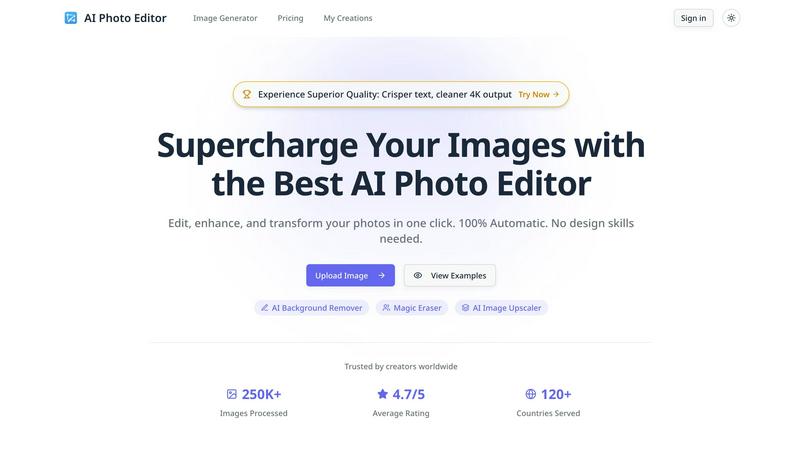
Transform and enhance your photos effortlessly with our AI Photo Editor, no design skills required.
Last updated: February 28, 2026

Facejam
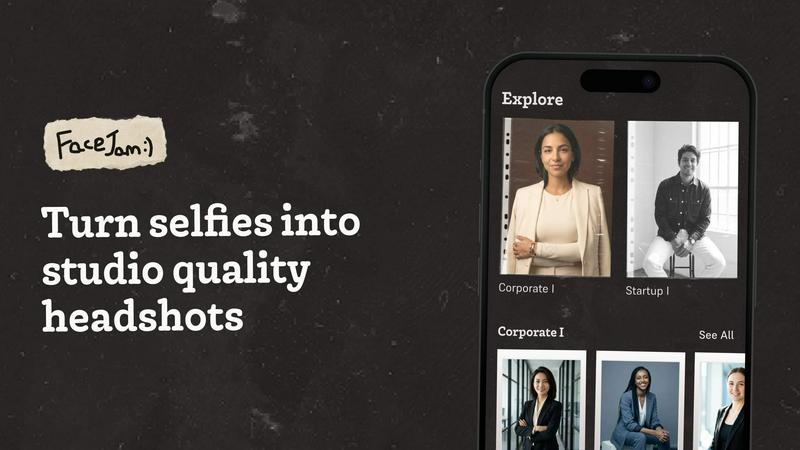
Transform selfies into stunning professional headshots in minutes, no photographer needed, with FaceJam's AI magic.
Last updated: February 28, 2026
Visual Comparison
AI Photo Editor - Free Online AI Image Editor
Facejam
Feature Comparison
AI Photo Editor - Free Online AI Image Editor
AI Background Remover
Instantly remove backgrounds from images with the AI Background Remover feature. This tool leverages advanced AI algorithms to detect and eliminate backgrounds, enabling you to isolate subjects and create professional-looking images with ease. Whether for product photos, portraits, or graphic design, this feature saves you hours of tedious editing.
Magic Eraser
The Magic Eraser tool brings precision to your image editing by allowing you to remove unwanted objects or distractions from photos seamlessly. With just a click, you can erase blemishes, stray elements, or any other imperfections, ensuring your images are polished and visually appealing. Achieve immaculate edits in record time.
AI Image Upscaler
Enhance the quality of your images instantly with the AI Image Upscaler. This feature uses cutting-edge technology to upscale images while preserving details and clarity. Ideal for printing, web use, or any scenario where high-resolution images are required, it transforms low-quality images into stunning visuals without losing integrity.
Cinematic Lighting Control
Master the mood of your images with Cinematic Lighting Control. Adjust lighting direction, color grading, and intensity to create studio-quality atmospheres for any scene. This feature allows you to manipulate the light in your images, enhancing the overall feel and ensuring your visuals evoke the desired emotions and responses.
Facejam
100+ Professional Styles
FaceJam offers an extensive selection of over 100 professional headshot styles, tailored to fit various industries. From creative fields to legal practices, users can find the perfect look that aligns with their profession, ensuring they make a memorable impression.
Quick and Easy Process
With FaceJam, the headshot creation process is simplified into just two steps: upload your selfies and select your desired template. This means no more waiting for a photographer or dealing with complicated editing software. Your stunning headshots are ready in minutes.
High-Quality Realism
FaceJam prides itself on producing realistic headshots that look like they were taken by a professional photographer. The AI technology ensures that your images appear authentic, eliminating any signs of artificiality that can often accompany AI-generated visuals.
Full Ownership and Privacy
When you create headshots with FaceJam, you retain full ownership of your images. The platform guarantees that your uploaded photos are never shared or used for any other purpose, ensuring your privacy and the security of your personal data.
Use Cases
AI Photo Editor - Free Online AI Image Editor
Professional Graphic Design
Graphic designers can utilize AI Photo Editor to create stunning visuals for marketing campaigns, social media posts, and more. With features like background removal and flawless typography integration, designers can enhance their workflow and bring creative visions to life without extensive manual editing.
E-commerce Product Photography
E-commerce businesses can significantly benefit from using AI Photo Editor for product photography. The AI Background Remover allows sellers to create clean, appealing product images that attract customers. Upscaling images enhances detail, making products more enticing for potential buyers.
Educational Resources Creation
Educators can use AI Photo Editor to create visually engaging materials for their students. Whether designing infographics, presentations, or educational posters, the platform’s tools help in producing high-quality visuals that effectively communicate information and concepts.
Social Media Management
Social media managers can streamline their content creation process by using AI Photo Editor to produce eye-catching images for posts and stories. The ability to quickly edit, enhance, and adapt images for different platforms ensures that social media feeds remain vibrant and engaging, driving user interaction and brand awareness.
Facejam
LinkedIn Profiles
Elevate your LinkedIn presence with professional headshots tailored for business networking. FaceJam provides the perfect image to help you stand out to potential employers and clients, making a lasting impression.
Corporate Team Photos
FaceJam is ideal for companies seeking to create cohesive, polished team images for their corporate websites and directories. Generate high-quality headshots for all staff members without the need for expensive photoshoots.
Personal Branding
Whether you are an entrepreneur, consultant, or freelancer, maintaining a consistent and professional image across all platforms is vital. FaceJam helps you achieve this by providing uniform headshots that enhance your personal branding.
Marketing Materials
Use FaceJam-generated headshots for marketing collateral, pitch decks, and promotional materials. High-quality images can significantly impact the effectiveness of your marketing efforts, making your business more appealing to clients and partners.
Overview
About AI Photo Editor - Free Online AI Image Editor
AI Photo Editor is your ultimate solution for supercharging image editing and enhancing workflows. Designed for creators, marketers, and educators alike, this free online AI image editor processes images in seconds, applying complex edits like background removal, upscaling, and more with unparalleled ease. The platform is 100% automatic, meaning you don’t need any design skills to achieve high-quality results. Whether you're a professional designer or a casual user, AI Photo Editor enables you to edit, enhance, and transform your photos in just one click. With a user-friendly interface and advanced AI technology, it caters to a global audience, having already processed over 250,000 images across 120 countries. Say goodbye to tedious manual editing and hello to a streamlined, effective editing experience that ensures your images stand out.
About Facejam
FaceJam is a revolutionary AI-powered tool that transforms your selfies into stunning, studio-quality headshots in mere minutes. Designed for professionals across various industries, FaceJam allows users to upload a few personal photos, select from an extensive library of over 100 styles, and generate high-resolution headshots without the hassle of scheduling a photoshoot. Whether you need a polished image for LinkedIn, a business profile, or a personal portfolio, FaceJam delivers exceptional results that rival traditional photography. This innovative platform is perfect for job seekers, entrepreneurs, and anyone looking to enhance their personal brand with professional images. With FaceJam, you save both time and money while achieving professional-grade headshots that highlight your unique style and personality.
Frequently Asked Questions
AI Photo Editor - Free Online AI Image Editor FAQ
How does AI Photo Editor work?
AI Photo Editor uses advanced artificial intelligence algorithms to analyze and process images. Users can upload images, select desired edits, and the tool automatically applies these changes, making it an efficient solution for quick and high-quality photo editing.
Is AI Photo Editor free to use?
Yes, AI Photo Editor is free to use, allowing anyone to access its powerful editing tools without any cost. Users can edit and enhance their images without the need for expensive software or subscriptions.
What file formats are supported for uploads?
AI Photo Editor supports various image formats including PNG, JPG, JPEG, and WEBP. Users can upload images with a maximum size of 10MB each, enabling flexibility in the types of images that can be edited.
Can I use AI Photo Editor for commercial purposes?
Absolutely! AI Photo Editor is designed for both personal and commercial use. Users can create and edit images for business purposes, ensuring high-quality visuals for marketing, e-commerce, and other professional applications.
Facejam FAQ
How does your AI headshot generator work?
FaceJam operates through a simple two-step process: first, you upload your selfies, then choose a template that suits your style. The AI then generates high-quality headshots tailored to your specifications.
What do you do with my uploaded photos?
Your uploaded photos are used solely to create your personalized headshots. They are not utilized for improving the AI model or for any other users, ensuring your images remain private and secure.
How many good photos can I expect?
FaceJam guarantees a minimum of one high-quality image per pack. However, users who closely follow the guidelines often receive 5-10 excellent photos, depending on the quality of the initial selfies provided.
Who owns my AI photos?
All headshots created through FaceJam are owned by you. The platform provides a full commercial license, allowing you to use your images freely across all personal and professional platforms.
Alternatives
AI Photo Editor - Free Online AI Image Editor Alternatives
AI Photo Editor - Free Online AI Image Editor is a cutting-edge tool designed to enhance your image editing process by leveraging the power of artificial intelligence. As a design tool, it allows users to perform complex edits such as background removal and image upscaling in mere seconds, significantly boosting productivity. Despite its strengths, users often seek alternatives for a variety of reasons, including pricing concerns, specific feature needs, or compatibility with certain platforms. When exploring alternatives to an AI photo editor, it's essential to consider factors such as the range of features offered, ease of use, and whether the platform aligns with your workflow. Additionally, look for tools that provide similar speed and quality in image processing to ensure you can maintain a high standard of work without sacrificing efficiency.
Facejam Alternatives
Facejam is a cutting-edge AI tool designed to transform your selfies into professional-grade headshots. By simply uploading a few photos, users can choose from over 50 styles tailored to various industries, producing stunning results without the need for photographers or extensive retouching. This innovation falls under the image generation category, offering a quick and efficient solution for anyone in need of high-quality images for their professional or personal branding. Many users seek alternatives to Facejam for various reasons, such as pricing concerns, feature sets, or specific platform needs. In a saturated market, it’s essential to consider factors like the variety of styles available, the realism of the generated images, and the overall user experience. When choosing an alternative, look for tools that prioritize high-quality output, ease of use, and robust security to ensure your images remain private and protected.