
Image to Image AI vs Seedream Pro

Image to Image AI
Transform any image into a new masterpiece with our powerful AI generator.
Last updated: February 28, 2026

Seedream Pro
Seedream Pro delivers ultra-fast AI image generation, enabling stunning text-to-image creation and seamless editing in.
Last updated: February 28, 2026
Visual Comparison
Image to Image AI
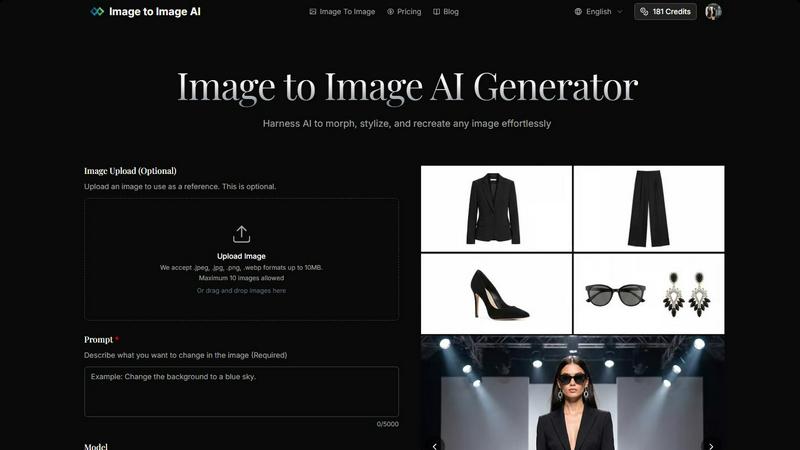
Seedream Pro
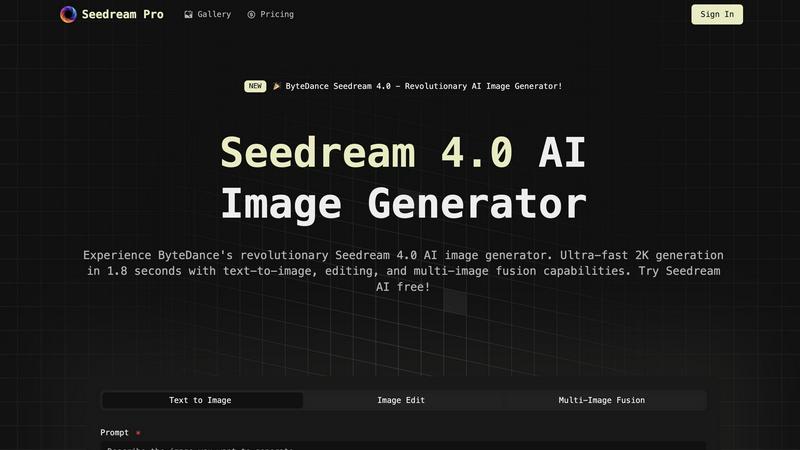
Feature Comparison
Image to Image AI
Multi-Model AI Engine
Harness the power of a curated arsenal of 9+ top-tier AI models, including Nano Banana for speed, Nano Banana Pro for enhanced detail, GPT-4o Image for coherence, and Flux Kontext for advanced stylization. This allows you to strategically select the perfect engine for each task, whether you need rapid iterations or cinematic-quality final renders, ensuring you are never locked into a single, inferior algorithm.
High-Fidelity Resolution & Aspect Control
Go beyond basic outputs with professional-grade resolution scaling up to 4K and a comprehensive selection of aspect ratios including 1:1, 16:9, 9:16, and 21:9. This feature guarantees your transformed images are born ready for specific applications, from Instagram posts and YouTube thumbnails to billboard ads, eliminating the need for destructive post-processing cropping or upscaling.
Intelligent Structure Preservation
Unlike other generators that create entirely new compositions, our technology is specifically fine-tuned to understand and maintain the core structure, key elements, and composition of your source image. This ensures your transformed results are recognizably derived from your original vision, providing consistent character generation and reliable edits that other platforms struggle to deliver.
Browser-Based Professional Workflow
Experience a seamless, installation-free professional tool that works directly in your browser with support for English and Chinese. Upload up to 10 reference images simultaneously, describe your changes with detailed prompts, and generate multiple high-quality variations in seconds. This streamlined workflow from upload to download maximizes productivity and creative experimentation.
Seedream Pro
Text-to-Image Generation
Seedream Pro offers ultra-fast text-to-image capabilities, allowing users to generate 2K or 4K-ready images within seconds. This feature supports rapid iterations, enabling creatives to refine their concepts with ease and efficiency.
Mask Editing and Inpainting
With advanced mask editing and inpainting tools, users can make local, non-destructive edits to their images. This functionality allows for precise adjustments without compromising the overall quality of the generated asset, ensuring that every detail aligns with the creative vision.
Multi-Image Fusion
Seedream Pro's multi-image fusion feature enables users to blend several reference images seamlessly. This capability allows for adherence to brand style guides and ensures that every output matches the desired aesthetic, making it a vital tool for branding consistency.
Consistent Export Formats
The platform guarantees consistent export formats that are ideal for marketing campaigns and presentations. Users can easily create high-quality visuals that are ready for use across various platforms, enhancing their professional image and output.
Use Cases
Image to Image AI
Dynamic Product Photography & Marketing Assets
Revolutionize e-commerce by generating countless lifestyle shots, color variants, and seasonal backgrounds from a single product photo. Create cohesive marketing campaigns across web, social, and print by transforming a base image into perfectly formatted assets for every channel, slashing photoshoot costs and production time dramatically.
Concept Art & Design Iteration
Accelerate the creative process for artists and designers. Upload a sketch or basic render and use descriptive prompts to explore dozens of artistic styles, color palettes, and environmental settings in minutes. This rapid iteration capability allows for unparalleled exploration of concepts before committing to a final piece.
Social Media Content Creation
Dominate social feeds by repurposing and revitalizing existing content. Transform a standard photo into multiple engaging styles—cyberpunk, oil painting, anime—tailored for platforms like Instagram Reels (9:16) or YouTube (16:9). Maintain brand consistency while generating a high volume of fresh, eye-catching visuals that drive engagement.
Professional Photo Editing & Enhancement
Act as a powerful AI co-editor for photographers. Professionally alter images by changing time of day, applying complex stylistic filters, replacing skies, or improving textures without manual Photoshop work. Correct or creatively modify elements while preserving the original's composition and feel for stunning, high-resolution results.
Seedream Pro
Virtual Try-On & Styling
Seedream Pro is perfect for virtual try-on scenarios where users can upload their photos and experiment with different clothing, hairstyles, or professional looks. This functionality maintains character consistency across all generated images, making it invaluable for fashion and beauty industries.
E-commerce Product Images
For e-commerce businesses, Seedream Pro facilitates the generation of high-quality product showcase images. Users can create multiple lifestyle shots and promotional materials in seconds, enhancing product appeal while saving time and resources.
Content Creation for Blogs and Social Media
Content creators can leverage Seedream Pro to produce eye-catching visuals for blogs, articles, and social media posts. The AI-generated images can significantly enhance storytelling, making content more engaging and visually appealing to audiences.
Educational Materials Development
Educators can utilize Seedream Pro to create dynamic visual materials for teaching and training. This includes courseware backgrounds, knowledge point illustrations, and engaging graphics that improve learning effectiveness and student engagement.
Overview
About Image to Image AI
Image to Image AI is a battle-tested, browser-based platform that dominates the creative AI space by transforming your existing visuals, not just generating from scratch. Forget starting with a blank page and a vague text prompt. This tool gives you the power to upload a reference image and command the AI to morph, stylize, and recreate it with precision. It's engineered for professionals and creators who demand control and quality, offering high-resolution outputs up to 4K across multiple aspect ratios for any platform. Whether you're a marketer needing endless product shot variations, a designer iterating on concept art, or a social media manager crafting viral content, Image to Image AI delivers sharper, more consistent, and commercially viable results faster than traditional tools. Its core value proposition is unmatched efficiency: maintain the original structure and composition of your work while applying radical stylistic changes or targeted modifications in seconds, all without installing any software.
About Seedream Pro
Seedream Pro is an innovative AI-powered image generation tool designed to streamline the creative process for designers, marketers, and independent creators. By transforming text prompts into high-resolution images on a single screen, Seedream Pro eliminates the need for multiple tools, enabling users to generate ad concepts, landing-page visuals, e-commerce product shots, and social media graphics in mere minutes. Its user-friendly interface allows for rapid iterations, making it ideal for professionals who require speed and precision in their workflow. With features like mask editing and multi-image fusion, Seedream Pro ensures that the outputs remain consistent with brand guidelines while providing an intuitive platform to create stunning visuals. The web-based app, accessible via Google sign-in, democratizes image creation, allowing anyone to harness the power of AI for their creative endeavors.
Frequently Asked Questions
Image to Image AI FAQ
How does Image to Image AI differ from standard Text to Image generation?
Standard text-to-image tools start from zero, interpreting a prompt into a completely new and unpredictable composition. Image to Image AI is a superior, controlled process. It uses your uploaded image as a foundational blueprint. The AI then interprets your text prompt as a set of instructions for transforming that specific image, preserving its core structure while applying your requested changes, styles, or enhancements with far greater precision and reliability.
What types of images work best for transformation?
For optimal, battle-tested results, start with clear, well-lit source images with good resolution that match your desired output's aspect ratio. Images with defined subjects and compositions (e.g., product photos, portraits, landscapes, architectural shots) transform most effectively. The AI can work with various inputs, but high-quality originals provide more detail for the engine to intelligently preserve and enhance.
Can I use the transformed images for commercial purposes?
Yes. Images generated on the Image to Image AI platform are intended for commercial use, making it a professional-grade tool. You can confidently use the outputs in marketing materials, advertising campaigns, product visualizations, website content, and social media campaigns. Always review the specific Terms of Service for detailed usage rights.
How long does the image transformation process take?
Transformation is remarkably fast and efficient, typically taking only seconds to generate results. The speed is a core competitive advantage, allowing for rapid iteration and exploration of different creative directions. Processing time can vary slightly based on the selected AI model complexity and output resolution, but it is designed for a seamless, near-instantaneous workflow.
Seedream Pro FAQ
How does Seedream Pro work?
Seedream Pro uses advanced AI algorithms to transform text prompts into high-resolution images. Users input a description, and the software generates visuals almost instantly, allowing for quick iterations and edits.
Is Seedream Pro suitable for beginners?
Absolutely! Seedream Pro is designed with user-friendliness in mind. Its intuitive interface allows even those with minimal technical skills to create professional-quality images effortlessly.
Can I edit the images after generation?
Yes, Seedream Pro includes powerful mask editing and inpainting tools that enable users to make local edits to their images without affecting the overall quality, allowing for refined and personalized outputs.
Is there a mobile version of Seedream Pro?
Currently, Seedream Pro is a web-based application that can be accessed from any device with an internet connection. This makes it versatile and convenient for users on the go, but there isn't a dedicated mobile app at this time.
Alternatives
Image to Image AI Alternatives
Image to Image AI is a powerful browser-based platform in the AI image generation category, specializing in transforming reference images and creating visuals from text prompts. It delivers high-resolution outputs for professional use cases like marketing and concept art. Users often explore alternatives for various reasons. Some seek different pricing models beyond credit-based subscriptions, while others prioritize specific features, unique AI models, or platform compatibility that better suit their creative workflow or budget constraints. When evaluating other options, key factors include output quality and resolution, the diversity and control of available AI models, pricing transparency, and ease of use. The best alternative aligns with your specific needs for cost, creative control, and the type of visual content you produce most often.
Seedream Pro Alternatives
Seedream Pro is an advanced AI image generator developed by ByteDance, designed to streamline the creative process for designers, marketers, and indie makers. As part of the Design Tools category, it allows users to transform text prompts into high-resolution images with ease, enabling rapid generation, precise editing, and effective brand alignment. Users often seek alternatives due to various factors such as pricing, specific feature sets, or platform compatibility. When choosing an alternative, consider aspects like user interface, editing capabilities, and whether it meets your particular needs for image quality and output consistency. The right choice should enhance your workflow without compromising on the creative vision or efficiency.