
AI Photo Editor - Free Online AI Image Editor vs Image2Prompt

AI Photo Editor - Free Online AI Image Editor
Transform and enhance your photos effortlessly with our AI Photo Editor, no design skills required.
Last updated: February 28, 2026

Image2Prompt
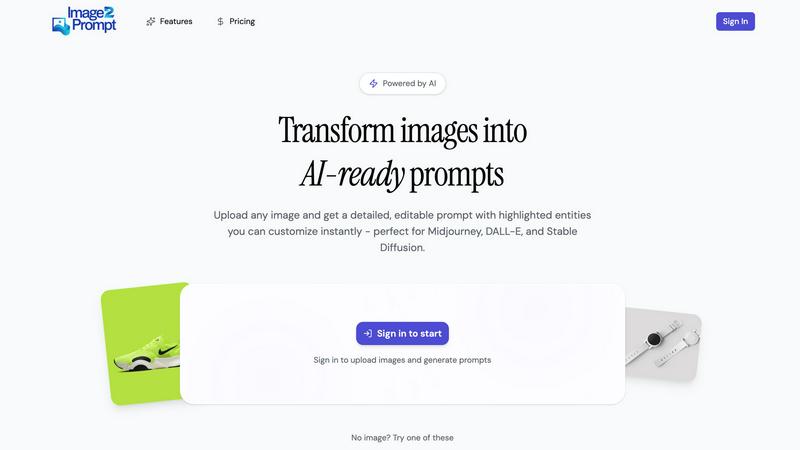
Image2Prompt transforms any image into a powerful AI prompt for instant, professional edits.
Last updated: February 28, 2026
Visual Comparison
AI Photo Editor - Free Online AI Image Editor
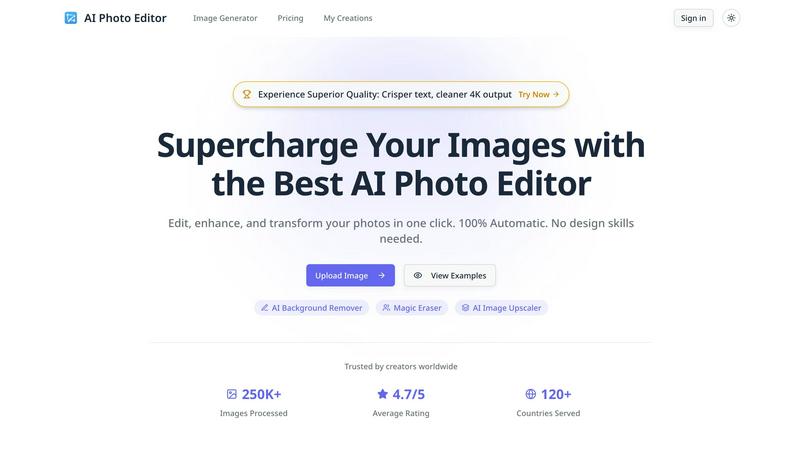
Image2Prompt
Feature Comparison
AI Photo Editor - Free Online AI Image Editor
AI Background Remover
Instantly remove backgrounds from images with the AI Background Remover feature. This tool leverages advanced AI algorithms to detect and eliminate backgrounds, enabling you to isolate subjects and create professional-looking images with ease. Whether for product photos, portraits, or graphic design, this feature saves you hours of tedious editing.
Magic Eraser
The Magic Eraser tool brings precision to your image editing by allowing you to remove unwanted objects or distractions from photos seamlessly. With just a click, you can erase blemishes, stray elements, or any other imperfections, ensuring your images are polished and visually appealing. Achieve immaculate edits in record time.
AI Image Upscaler
Enhance the quality of your images instantly with the AI Image Upscaler. This feature uses cutting-edge technology to upscale images while preserving details and clarity. Ideal for printing, web use, or any scenario where high-resolution images are required, it transforms low-quality images into stunning visuals without losing integrity.
Cinematic Lighting Control
Master the mood of your images with Cinematic Lighting Control. Adjust lighting direction, color grading, and intensity to create studio-quality atmospheres for any scene. This feature allows you to manipulate the light in your images, enhancing the overall feel and ensuring your visuals evoke the desired emotions and responses.
Image2Prompt
Intelligent Prompt Deconstruction
Image2Prompt doesn't just caption your image; it performs a deep visual analysis to extract and structure the most critical elements for generative AI. It identifies primary subjects, secondary objects, artistic style references (e.g., cinematic, oil painting, cyberpunk), technical details like lighting and camera angles, and the overall composition. This deconstruction provides a complete blueprint of the image, giving you a comprehensive starting point that generic tools simply cannot match.
Highlighted & Editable Prompt Components
Unlike the wall of text from basic converters, Image2Prompt presents your generated prompt with key entities clearly highlighted or segmented. This visual differentiation makes it effortless to identify and modify specific parts. Want to change the character's clothing, swap the environment from a forest to a cityscape, or shift the style from photorealistic to anime? You can edit these components in isolation without rewriting the entire prompt, enabling lightning-fast iterations and precise creative control.
Cross-Platform Model Compatibility
Engineered for the professional workflow, Image2Prompt generates prompts that are fully compatible with the leading generative AI engines, including Midjourney, DALL·E, and Stable Diffusion. The platform understands the nuanced syntax and weighting preferences of each model, delivering prompts that are optimized to work effectively right out of the gate. This eliminates the guesswork and manual tweaking required when porting an idea between different AI systems.
Rapid Iteration & Style Remixing
The core power of Image2Prompt lies in accelerating the creative cycle. Use it to reverse-engineer an image you love, then instantly remix it by adjusting the highlighted components. Test multiple artistic styles, change color palettes, or alter the scene's atmosphere in seconds. This feature is a game-changer for artists and content creators who need to produce consistent thematic variations or explore multiple directions from a single source of inspiration without starting over each time.
Use Cases
AI Photo Editor - Free Online AI Image Editor
Professional Graphic Design
Graphic designers can utilize AI Photo Editor to create stunning visuals for marketing campaigns, social media posts, and more. With features like background removal and flawless typography integration, designers can enhance their workflow and bring creative visions to life without extensive manual editing.
E-commerce Product Photography
E-commerce businesses can significantly benefit from using AI Photo Editor for product photography. The AI Background Remover allows sellers to create clean, appealing product images that attract customers. Upscaling images enhances detail, making products more enticing for potential buyers.
Educational Resources Creation
Educators can use AI Photo Editor to create visually engaging materials for their students. Whether designing infographics, presentations, or educational posters, the platform’s tools help in producing high-quality visuals that effectively communicate information and concepts.
Social Media Management
Social media managers can streamline their content creation process by using AI Photo Editor to produce eye-catching images for posts and stories. The ability to quickly edit, enhance, and adapt images for different platforms ensures that social media feeds remain vibrant and engaging, driving user interaction and brand awareness.
Image2Prompt
Reverse-Engineering Visual Inspiration
Artists and designers often find inspiration in existing artwork, photographs, or concept art. With Image2Prompt, you can upload that inspirational image and instantly receive a detailed prompt that captures its essence. This allows you to recreate the style, mood, or composition in your own AI-generated work, serving as a perfect foundation for new creations or learning the specific prompt techniques behind compelling images.
Maintaining Character & Style Consistency
For creators working on serialized content like comic books, game assets, or brand marketing materials, maintaining visual consistency is paramount. Upload a key character or scene "style guide" image to Image2Prompt to generate its core prompt formula. You can then reuse and slightly modify this base prompt across multiple generations to ensure your character's appearance, the artistic style, and the world's atmosphere remain coherent throughout your entire project.
Accelerating Creative Brainstorming & Ideation
When facing creative block, use Image2Prompt to rapidly prototype ideas. Upload a rough sketch, a mood board image, or even a photograph, and let the AI propose a fully-fledged descriptive prompt. This can spark new directions, suggest stylistic choices you hadn't considered, and provide a concrete starting point that you can then refine and customize, dramatically speeding up the initial ideation phase.
Educational Tool for Prompt Engineering
For AI enthusiasts and newcomers looking to master the art of prompting, Image2Prompt is an invaluable learning aid. By seeing how a high-quality image is broken down into a structured, effective prompt, users can study the relationship between visual elements and descriptive language. This hands-on analysis helps build intuition for what makes a prompt powerful, teaching best practices for composition, style keywords, and detail hierarchy.
Overview
About AI Photo Editor - Free Online AI Image Editor
AI Photo Editor is your ultimate solution for supercharging image editing and enhancing workflows. Designed for creators, marketers, and educators alike, this free online AI image editor processes images in seconds, applying complex edits like background removal, upscaling, and more with unparalleled ease. The platform is 100% automatic, meaning you don’t need any design skills to achieve high-quality results. Whether you're a professional designer or a casual user, AI Photo Editor enables you to edit, enhance, and transform your photos in just one click. With a user-friendly interface and advanced AI technology, it caters to a global audience, having already processed over 250,000 images across 120 countries. Say goodbye to tedious manual editing and hello to a streamlined, effective editing experience that ensures your images stand out.
About Image2Prompt
In the high-stakes arena of AI image generation, your prompt is your weapon. Generic image-to-text tools leave you with a messy, unstructured block of text, forcing you to deconstruct and rebuild from scratch. Image2Prompt enters the battle as a precision instrument, engineered to give creators a decisive advantage. This AI-powered platform does more than just describe an image; it reverse-engineers visual inspiration into a battle-tested, fully editable prompt optimized for generative models like Midjourney, DALL·E, and Stable Diffusion. By uploading any image, you instantly receive a high-quality prompt that intelligently dissects and highlights key visual components: subjects, artistic styles, lighting, composition, and atmospheric mood. This structured approach means you're not starting from zero; you're starting from a position of strength, with every element clearly defined and ready for rapid customization. Built for designers, artists, marketers, and AI power users, Image2Prompt transforms the tedious process of prompt engineering into a streamlined workflow for recreating, refining, or remixing visual concepts. It's the tool that ensures your creative vision isn't lost in translation, enabling faster iteration, greater control, and consistent, production-ready outputs across all your projects.
Frequently Asked Questions
AI Photo Editor - Free Online AI Image Editor FAQ
How does AI Photo Editor work?
AI Photo Editor uses advanced artificial intelligence algorithms to analyze and process images. Users can upload images, select desired edits, and the tool automatically applies these changes, making it an efficient solution for quick and high-quality photo editing.
Is AI Photo Editor free to use?
Yes, AI Photo Editor is free to use, allowing anyone to access its powerful editing tools without any cost. Users can edit and enhance their images without the need for expensive software or subscriptions.
What file formats are supported for uploads?
AI Photo Editor supports various image formats including PNG, JPG, JPEG, and WEBP. Users can upload images with a maximum size of 10MB each, enabling flexibility in the types of images that can be edited.
Can I use AI Photo Editor for commercial purposes?
Absolutely! AI Photo Editor is designed for both personal and commercial use. Users can create and edit images for business purposes, ensuring high-quality visuals for marketing, e-commerce, and other professional applications.
Image2Prompt FAQ
How accurate are the prompts generated by Image2Prompt?
Image2Prompt is engineered for high analytical accuracy, using advanced vision-language models to dissect an image's core components. It excels at identifying subjects, dominant styles, and compositional elements. While extremely powerful, the precision can vary with highly abstract or cluttered images. The true strength lies in the editable, structured output it provides, which serves as a superior starting point for refinement compared to any basic description tool.
Can I use Image2Prompt with any AI image generator?
Yes, Image2Prompt is built for broad compatibility. It generates standard, well-structured natural language prompts that are directly usable with all major platforms like Midjourney, DALL·E 3, Stable Diffusion (via Automatic1111, ComfyUI, etc.), and others. The prompts avoid platform-specific commands unless needed, making them versatile. You may only need to add minor syntax (like "--ar" for aspect ratio in Midjourney) for final optimization.
What makes Image2Prompt better than a simple image captioner?
Standard captioning tools describe what is in an image (e.g., "a cat on a couch"). Image2Prompt is engineered for generative AI, describing how to create the image. It outputs a detailed recipe including artistic style (e.g., "cinematic lighting, hyper-detailed"), camera angles, color grading, and atmospheric terms. Furthermore, its highlighting of editable components allows for targeted modifications, a feature completely absent in basic captioners.
Is there a free version of Image2Prompt available?
Based on the provided context, Image2Prompt operates on a freemium model. A free trial is available that requires no sign-up or credit card, allowing users to test the core functionality. For professional, high-volume, or commercial use, a Pro version exists. The Pro plan offers superior capabilities, removes processing queues, and includes a commercial license, catering to users who need reliable, unrestricted access for their creative projects.
Alternatives
AI Photo Editor - Free Online AI Image Editor Alternatives
AI Photo Editor - Free Online AI Image Editor is a cutting-edge tool designed to enhance your image editing process by leveraging the power of artificial intelligence. As a design tool, it allows users to perform complex edits such as background removal and image upscaling in mere seconds, significantly boosting productivity. Despite its strengths, users often seek alternatives for a variety of reasons, including pricing concerns, specific feature needs, or compatibility with certain platforms. When exploring alternatives to an AI photo editor, it's essential to consider factors such as the range of features offered, ease of use, and whether the platform aligns with your workflow. Additionally, look for tools that provide similar speed and quality in image processing to ensure you can maintain a high standard of work without sacrificing efficiency.
Image2Prompt Alternatives
Image2Prompt is a specialized design tool in the AI image generation ecosystem, built to transform any uploaded image into a structured, editable prompt for models like Midjourney and DALL·E. It goes beyond simple captioning by deconstructing visuals into customizable components like style, lighting, and composition, giving creators a powerful starting point for iteration. Users often explore alternatives for various reasons, including budget constraints, the need for different feature sets like batch processing or specific platform integrations, or simply a desire to test different approaches to the image-to-prompt workflow. The market offers a range of solutions with varying focuses on automation, detail, and control. When evaluating other options, key considerations should be the depth and editability of the generated prompts, compatibility with your primary AI image generator, the tool's ability to accurately interpret artistic styles and fine details, and the overall user experience that supports your creative speed. The right tool should act as a seamless bridge between your inspiration and your final generated artwork.