
Kandinsky AI vs Seedance 2.0 AI Video Generator

Last updated: February 28, 2026

Last updated: February 28, 2026
Visual Comparison
Kandinsky AI

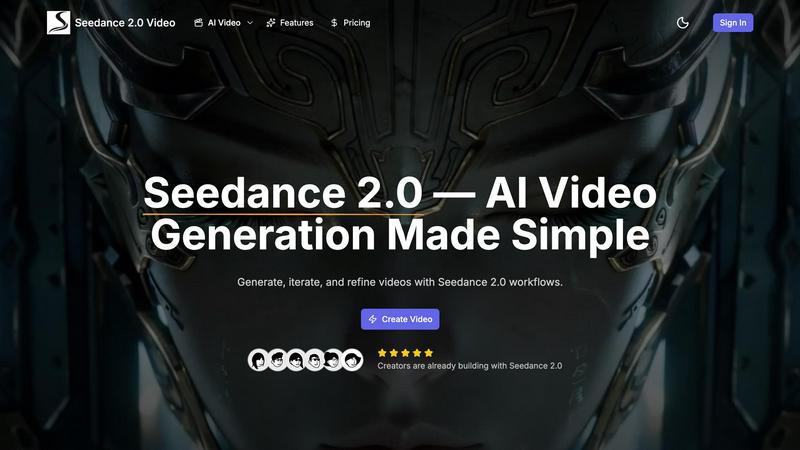
Seedance 2.0 AI Video Generator
Feature Comparison
Kandinsky AI
Text-to-Video Generation
Kandinsky AI's text-to-video generation feature allows users to transform written prompts into high-resolution videos in seconds. This capability ensures smooth motion and clear detail, making it ideal for storytelling and creative projects that require dynamic visual representation.
Image-to-Video Transformation
This feature enables users to convert static images into captivating videos. With Kandinsky AI, you can breathe life into your visuals, adding movement and depth that enhances viewer engagement and provides a more immersive experience.
High-Resolution Image Generation
Kandinsky AI excels at creating high-resolution images from text prompts. This feature is perfect for designers and marketers who need visually striking graphics that maintain clarity and detail across various platforms and media.
Flexible Output Options
Users can customize their video outputs with various settings, including duration, resolution, and frame options. Kandinsky AI supports a range of image formats and sizes, giving creators the flexibility needed to tailor their projects to specific requirements.
Seedance 2.0 AI Video Generator
Four-Modal Input in One Workflow
Seedance 2.0 enables users to mix text, images, videos, and audio in a single streamlined workflow. This eliminates the need for juggling multiple tools and allows for greater control over the style, characters, motion, and rhythm of the generated content.
Audio-Synchronized Output
With Seedance 2.0, you can create videos where the audio is perfectly synchronized with the visuals. This means that the ambiance, sound effects, and music timing align with the on-screen action, enhancing the overall viewing experience.
Stronger Prompt Following & Realism
The platform excels in interpreting complex scenes with realistic physics and cinematic camera language. This results in a more accurate representation of what you describe, making it easier to achieve the desired outcome in your video creations.
Reference & Editing Oriented
Seedance 2.0 is designed with comprehensive multimodal reference and editing capabilities, allowing users to iterate and refine their projects towards a production-ready look. This feature supports a more efficient editing process, enabling creators to polish their work effectively.
Use Cases
Kandinsky AI
Content Creation for Social Media
Kandinsky AI is an invaluable tool for social media managers and content creators. By generating quick and engaging videos or images, users can keep their audience captivated while maintaining a consistent posting schedule.
Marketing Campaigns
Marketers can leverage Kandinsky AI to produce visually compelling assets for campaigns. Whether creating promotional videos or eye-catching graphics, this tool helps brands stand out in a crowded marketplace with high-quality visuals.
Animation Production
Animation studios can utilize Kandinsky AI's capabilities to streamline their production processes. By generating animations from text prompts, studios can accelerate workflow and reduce the time spent on manual animation tasks.
Prototyping and Concept Visualization
Designers and developers can use Kandinsky AI for rapid prototyping and visualizing concepts. This feature allows teams to create visual representations of ideas quickly, facilitating collaboration and feedback during the development process.
Seedance 2.0 AI Video Generator
Marketing & Brand Content
Marketers can leverage Seedance 2.0 to create compelling product videos, social media posts, and ad campaigns. The platform's AI-generated visuals can significantly boost engagement, making it an essential tool for modern marketing strategies.
Education & Training
Educators can transform complex concepts into engaging visual explanations and training materials using Seedance 2.0. The ability to create instructional videos quickly helps enhance comprehension and retention among students.
Creative & Cinematic Productions
Independent filmmakers and creatives can produce short films, music videos, and artistic content with cinematic camera movements. Seedance 2.0 allows for rapid prototyping of scenes, enabling creators to visualize their projects efficiently.
Social Media & Viral Content
Content creators can utilize Seedance 2.0 to craft trending effects and clips for platforms like TikTok and Instagram. The tool's capabilities allow for the production of eye-catching and shareable videos that can help boost visibility and virality.
Overview
About Kandinsky AI
Kandinsky AI is a revolutionary generative model family that specializes in high-quality video and image creation. With its cutting-edge capabilities in text-to-video, text-to-image, and image-to-video workflows, Kandinsky AI enables users to generate stunning visuals at remarkable speeds. This platform is designed for a wide array of professionals including content creators, marketers, studios, designers, and developers who demand not only high-resolution outputs but also stylistic consistency and realism. The primary value proposition of Kandinsky AI lies in empowering users with full creative control, allowing them to produce animations and branding assets instantly and at scale. Whether you are crafting visual storytelling content or production-ready materials, Kandinsky AI stands out as a formidable ally in the creative process, transforming ideas into compelling visuals with unprecedented ease.
About Seedance 2.0 AI Video Generator
Seedance 2.0 is a groundbreaking AI video creation platform designed for content creators, marketers, educators, and filmmakers alike. Utilizing a unified multimodal architecture, it allows users to bring their creative ideas to life effortlessly through a combination of text prompts and optional references in the form of images, videos, and audio. This innovative approach ensures that visuals and sound are not just generated separately but are seamlessly aligned, resulting in cinematic clips that captivate and engage audiences. With its robust features, Seedance 2.0 empowers users to create high-quality content quickly and efficiently, making it an indispensable tool for anyone looking to enhance their storytelling through video. Whether you are crafting marketing materials, educational resources, or artistic projects, Seedance 2.0 offers the technology you need to realize your vision.
Frequently Asked Questions
Kandinsky AI FAQ
What types of media can I create with Kandinsky AI?
Kandinsky AI allows you to create high-quality videos and images, supporting text-to-video, text-to-image, and image-to-video workflows, making it versatile for various creative projects.
How fast can Kandinsky AI generate videos?
Kandinsky AI is designed for rapid video generation, allowing users to create high-resolution videos up to 10 seconds long in mere seconds, ensuring efficiency in content production.
What formats does Kandinsky AI support for image uploads?
Kandinsky AI supports multiple image formats including PNG, JPEG, WEBP, BMP, TIFF, and GIF, with a maximum file size of 30MB, giving users flexibility in their input choices.
Is Kandinsky AI suitable for large-scale content production?
Absolutely! Kandinsky AI is tailored for high-volume content creation, empowering users to produce animations and branding assets at scale without compromising on quality or detail.
Seedance 2.0 AI Video Generator FAQ
What is Seedance 2.0?
Seedance 2.0 is an AI video generation platform that combines text, images, video, and audio to create synchronized, high-quality videos tailored for various content creators, including marketers and educators.
Is Seedance 2.0 free to use?
Yes, Seedance 2.0 offers a free tier that allows users to create videos and images without any upfront costs. Users can sign up without a credit card and receive free credits to start generating content.
How does text-to-video generation work?
Users input text prompts alongside optional references, and Seedance 2.0's AI models interpret these inputs to generate coherent audiovisual content. The process is designed to be user-friendly and highly effective.
Can I use the generated content commercially?
Yes, all content generated through Seedance 2.0 can be used for commercial projects. The platform provides high-resolution outputs without watermarks, making it suitable for a variety of professional applications.
Alternatives
Kandinsky AI Alternatives
Kandinsky AI is a powerful generative model designed for creating high-quality images and videos swiftly and efficiently. It caters to various workflows such as text-to-video, text-to-image, and image-to-video, making it a versatile tool for content creators, marketers, studios, and developers. With its emphasis on style consistency, realism, and creative control, Kandinsky AI excels in delivering production-ready content at scale. Users often seek alternatives to Kandinsky AI due to factors like pricing, specific feature requirements, or compatibility with their existing platforms. When considering an alternative, it’s crucial to evaluate aspects such as the range of creative controls, the quality of output, ease of use, and the type of content workflows supported. Finding a solution that aligns with your needs can enhance your creative projects and streamline your content production process.
Seedance 2.0 AI Video Generator Alternatives
Seedance 2.0 AI Video Generator is an innovative platform designed for seamless video creation, allowing users to generate high-quality cinematic clips through a unified approach that integrates text, images, audio, and video. As a category leader in AI video generation, it offers a unique solution to those looking to bring their creative ideas to life without the cumbersome process of using multiple tools. Users often seek alternatives to Seedance 2.0 due to various factors such as pricing, specific feature requirements, or compatibility with their preferred platforms. When searching for an alternative, it's crucial to consider factors like ease of use, the ability to handle complex scenes, and the quality of the final output to ensure that the new tool meets their creative needs effectively.