
Kling Motion Control vs Seedance 2.0

Last updated: February 28, 2026

Seedance 2.0
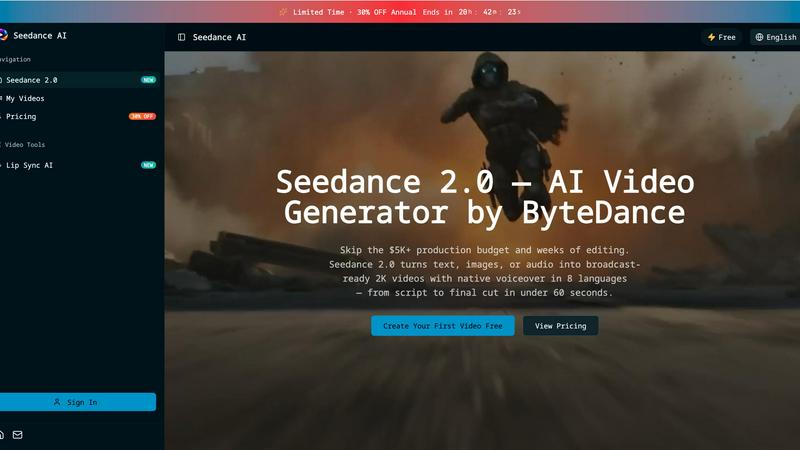
Seedance 2.0 instantly creates broadcast-ready 2K videos from text, images, or audio in under 60 seconds.
Last updated: February 28, 2026
Visual Comparison
Kling Motion Control

Seedance 2.0
Feature Comparison
Kling Motion Control
Explicit Motion Path Extraction
Kling Motion Control goes far beyond guessing movements. It technically extracts and maps the precise motion trajectories from your uploaded reference video. This means every step, spin, and subtle gesture is analyzed and applied to your character, ensuring the motion is physically coherent and true to the source material, not a random AI hallucination. This core technology is what sets it apart from all probabilistic synthesis models.
Full-Body & Precision Hand Control
While other tools struggle with limb articulation, Kling Motion Control masters it. It ensures smooth, accurate full-body motion for complex actions like dance or martial arts. Critically, it excels where most fail: precision hand and gesture control. Finger movements, expressive signs, and detailed manipulations are preserved, making it suitable for close-up shots and performances where nuance is non-negotiable.
Dual Character Orientation Modes
This feature offers unparalleled compositional control. Choose "Character Orientation Matches Video" to perfectly replicate the original framing and camera perspective. Alternatively, select "Character Orientation Matches Image" to keep your character's original composition and pose stable while the extracted motion is applied, allowing for creative camera movement independent of the subject.
Prompt-Guided Scene Refinement
Kling Motion Control decouples motion from environment. After locking in your character's performance, use text prompts to dynamically control and alter the background, lighting, atmosphere, and overall visual style. This allows you to place your consistently animated character into any scene—from a neon-lit cityscape to a serene forest—without a single frame of motion retraining.
Seedance 2.0
Multi-Modal Input & @Asset Tagging
Stop rebuilding from scratch. Seedance 2.0 accepts 12 different input types, from text and images to existing video clips and audio files. Its powerful @asset tag system lets you precisely guide generation: tag @Image1 as your character, use @Video1 for camera movement reference, and describe the scene in plain text. This granular control drastically reduces guesswork and allows you to repurpose existing assets intelligently, setting a superior baseline faster than any text-only tool.
Audio-Native Generation with Lip Sync
Eliminate the costly, time-consuming post-production steps of hiring voice actors and manually syncing audio. Seedance 2.0 generates lip-synced dialogue, realistic Foley sound effects, and fitting background music natively alongside your video, supporting 8 languages. This integrated approach means what used to cost $300+ per video in external services is now a built-in feature, delivering a complete, polished asset ready for immediate use.
Multi-Shot Narrative Sequences
Battle-tested against single-clip generators that leave you manually stitching scenes together. Seedance 2.0's advanced engine can compose logical, multi-scene sequences from a single, cohesive prompt. It intelligently maintains consistency across cuts—keeping characters, outfits, and lighting stable—allowing you to build engaging narratives up to 2 minutes long without the tedious manual editing required by lesser platforms.
Director-Level Scene Editing
Why re-prompt an entire generation when you only need to change one element? Seedance 2.0 provides unprecedented control for fine-tuning. Edit any generated scene with a simple sentence instruction: swap a character, remove an unwanted object, or change the camera angle. This precision-editing capability slashes iteration time and delivers client-ready results 30% faster than competing render-heavy tools.
Use Cases
Kling Motion Control
Professional Character Animation & Pre-Vis
For animation studios and indie creators, this tool accelerates production. Apply real actor reference footage directly to illustrated characters or storyboard art, generating realistic, motion-accurate pre-visualization sequences in minutes. This enables rapid iteration on character performance early in the pipeline, saving countless hours of manual keyframing.
Brand Marketing & Explainer Videos
Create consistent, high-quality animated content for marketing campaigns. Transfer a spokesperson's authentic gestures and movements to an animated brand mascot or product character. This ensures engaging, on-brand explainer videos and social ads with professional-grade animation that resonates with audiences and builds brand identity reliably.
Social Media & Viral Content Creation
Capitalize on trends instantly. Take a trending dance or meme motion clip from the library or a video, and apply it to your custom character or logo. This allows creators and influencers to produce unique, engaging short-form videos with guaranteed smooth motion that stands out in crowded feeds, all without needing animation expertise.
Game Dev & Interactive Media Prototyping
Game developers can use Kling Motion Control to quickly prototype character animations. By filming reference moves, they can transfer those animations onto concept art or low-poly models to test gameplay feel and character responsiveness before committing to full, expensive motion-capture sessions or manual rigging.
Seedance 2.0
Performance Marketing & Ad Creation
Marketing teams can now launch data-driven video ad campaigns at lightning speed. Generate high-converting product demos, brand story videos, and spokesperson ads with perfect lip-sync and native audio in multiple languages. This agility allows for rapid A/B testing of creative assets, with teams reporting over 35% higher click-through rates using AI-generated videos compared to static or slower-produced content.
Social Media & Short-Form Content
Dominate platforms like TikTok, YouTube Shorts, and Instagram Reels by producing trending, audio-synced content in minutes, not hours. Turn a viral tweet or a product highlight into a multi-shot narrative clip ready for publishing. This speed enables creators to consistently post high-quality, engaging video content that capitalizes on trends before they fade, replacing reliance on freelancers.
E-Learning & Training Video Production
Revolutionize educational content by generating instructor-led tutorials with animated, multilingual presenters. Seedance 2.0 transforms dry scripts or slide decks into dynamic, engaging videos with natural speech, leading to up to 45% higher student completion rates compared to static materials. It's ideal for creating scalable training videos and course content quickly and cost-effectively.
Indie Film & Animation Pre-Production
Slash pre-production costs by 90% compared to traditional pipelines. Filmmakers and animators can use Seedance 2.0 to produce detailed storyboards, animate characters with consistent styles, and visualize complex scenes or visual effects sequences. The multi-shot narrative feature is perfect for crafting short films and animated shorts with professional continuity from concept to visual draft.
Overview
About Kling Motion Control
Kling Motion Control is not just another AI video generator; it's a precision motion transfer engine that puts control back in the creator's hands. Built into the powerful Kling Video 2.6 Pro model, this technology shatters the limitations of traditional probabilistic AI animation, which often produces unpredictable, jittery results. Instead, Kling Motion Control operates on a battle-tested principle: explicit motion extraction. It analyzes real 3-30 second reference videos, deconstructs the exact motion paths of the subject, and faithfully reconstructs that movement frame-by-frame onto your static character image. This process ensures the generated video is a perfect marriage of your character's visual identity and the original performance's kinetic energy. It is engineered for professional creators, marketers, and animators who demand predictable outcomes, require long one-shot action sequences, and need pixel-perfect control over complex hand gestures and body mechanics. In a landscape crowded with guesswork generators, Kling Motion Control stands as the definitive tool for intentional, accurate, and fully guided character animation.
About Seedance 2.0
Forget the endless, frustrating loop of trial-and-error prompting that plagues other AI video tools. Seedance 2.0 is the multi-modal AI video generator engineered to break the real bottleneck in video creation: the iteration process. While competitors hand you a rough first draft and leave you to figure out the rest, Seedance 2.0 delivers broadcast-ready 2K videos with native voiceover in under 60 seconds. It's built for creators, marketers, agencies, and product teams who need to move at the speed of social media, not the speed of a traditional edit suite. The core value proposition is brutal efficiency: skip the $5,000+ production budgets and weeks of editing. With capabilities spanning text-to-video, image animation, video restyling, and multi-shot narratives, it provides director-level control to edit scenes with a single sentence, maintaining consistency where other tools fail. This isn't just another generator; it's a complete production pipeline that turns ideas into publishable short videos for ads, Reels, demos, and landing pages in minutes, not days.
Frequently Asked Questions
Kling Motion Control FAQ
How is Kling Motion Control different from other AI video tools?
Other tools use probabilistic models that "imagine" motion based on text, often leading to unpredictable, unnatural, and inconsistent movement. Kling Motion Control is deterministic; it extracts exact motion data from a real video source. This results in precise, physically accurate, and repeatable animations, making it superior for projects requiring specific choreography or reliable outputs.
What are the requirements for the input image and video?
You need one clear, well-defined character image (illustration, photo, mascot) and one 3 to 30-second motion reference video. The video should feature a clear subject performing the desired action. For best results, use videos with good lighting and a relatively uncluttered background to facilitate accurate motion extraction by the AI model.
Can I use the audio from my reference video?
Yes, Kling Motion Control provides optional audio preservation. You can choose to keep the original audio track from your motion reference video synced with the new animation, or generate a silent video. This is ideal for transferring dance routines with music or dialogue-driven performances directly into your animated output.
Is there a motion library, or do I need my own videos?
The platform offers both options. You can upload your own custom reference video for unique motions. Alternatively, you can select from a built-in motion library containing a variety of pre-analyzed actions, dances, and gestures, allowing you to get started instantly without needing to source your own footage.
Seedance 2.0 FAQ
How does Seedance 2.0 handle consistency across video generations?
Seedance 2.0 uses advanced multi-shot narrative technology and its @asset tagging system to maintain core elements like character appearance, clothing, and environmental lighting across different scenes and generations. This is a direct advantage over tools where each prompt creates a visually disjointed result, requiring manual correction.
What kind of audio does Seedance 2.0 generate?
The platform generates a complete audio track natively, including synchronized character dialogue with accurate lip movements, ambient Foley sound effects, and complementary background music. It supports 8 languages, creating a fully-produced soundscape that matches the on-screen action without needing external editing software or voice talent.
Can I edit a specific part of a generated video without starting over?
Yes, this is a key competitive feature. With Director-Level Control, you can submit a simple text instruction (e.g., "swap the woman's jacket from red to blue" or "change the camera to a close-up") to edit a specific scene. The tool regenerates only that portion, preserving the rest of your video and saving immense time compared to full re-generations.
What are the main output specifications for videos?
Seedance 2.0 generates broadcast-ready videos in up to 2K (1080p) resolution. You can choose from multiple aspect ratios (like 9:16 for Reels or 16:9 for YouTube) and durations (from 4 to 12 seconds per basic clip, with multi-shot sequences building longer narratives). Outputs are immediately suitable for social media, marketing campaigns, and professional demos.
Alternatives
Kling Motion Control Alternatives
Kling Motion Control is a specialized AI video tool in the motion transfer category. It uses a motion-aware model to extract precise movement paths from a reference video and applies them frame-by-frame to a static character image. This approach prioritizes predictable, faithful motion replication over random generation, making it a powerful choice for creators who need exact control over actions, especially for long sequences or detailed hand and body movements. Users often seek alternatives for several key reasons. These include budget constraints, as premium AI tools can be costly, or a need for different core features like text-to-video generation. Platform accessibility, such as a preference for web-based apps over downloadable software, and specific output requirements like resolution or style variety also drive the search for other options. When evaluating an alternative, focus on the core capability: motion control precision. The best competitors will offer robust, deterministic motion transfer, not just random animation. Also, assess the workflow ease, the quality of the output video, and whether the tool fits your technical environment and creative budget. The goal is to find a solution that matches Kling's predictability without compromising on your specific needs.
Seedance 2.0 Alternatives
Seedance 2.0 is a multi-modal AI video generator from ByteDance, designed to accelerate the creation of short-form video content. It belongs to the competitive category of AI-powered video creation tools that promise to turn ideas into polished clips for social media, marketing, and demos. Users often explore alternatives for several key reasons. Budget constraints and specific pricing models can be a primary driver, as costs vary widely. Others may seek different feature sets, such as longer video generation, unique stylistic filters, or integration with a preferred editing platform. The need for a tool that aligns with a specific workflow or creative process is also a common motivator. When evaluating other options, focus on your core needs. Consider the consistency of output, as many tools struggle with maintaining style across iterations. Assess the true speed of the editing loop, not just the initial generation time. Finally, examine the practical export quality and formats to ensure the final product is truly ready for your intended use case.