
Motion Control AI vs Pinssaver

Motion Control AI
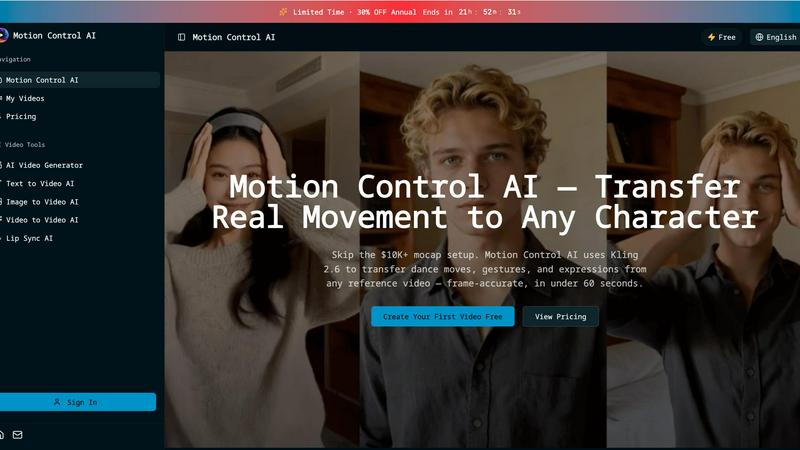
Transfer realistic movements and expressions from any video to your characters in under 60 seconds with Motion Control.
Last updated: February 28, 2026

Pinssaver
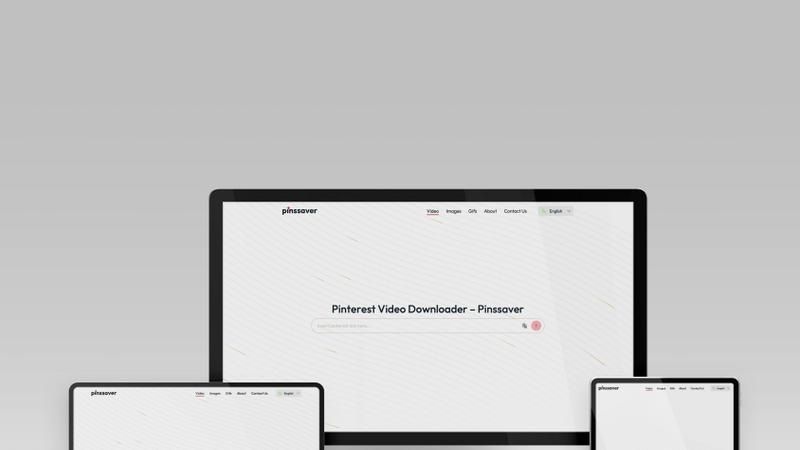
Pinssaver boldly downloads any Pinterest video, image, or GIF for free in HD with no watermark.
Last updated: February 28, 2026
Visual Comparison
Motion Control AI
Pinssaver
Feature Comparison
Motion Control AI
Motion Transfer
This feature enables users to upload a reference video and extract skeletal motion data frame-by-frame. The tool captures all body movements, such as dance choreography and athletic actions, allowing characters to replicate these motions while preserving their unique identities.
Gesture Control
Unlike many other AI video generators, Motion Control AI excels in capturing detailed hand movements. With its precise finger articulation and gesture recognition, users can animate complex actions like pointing and sign language, enhancing the realism of character interactions.
Expression Sync
Motion Control AI addresses the common issue of the uncanny valley by accurately mapping facial expressions from the source video to characters. This feature allows for emotional authenticity, ensuring that smiles, frowns, and eye movements are replicated convincingly, fostering a deeper connection with the audience.
Cinematic Realism
The software delivers broadcast-quality output at resolutions up to 1080p and 30fps. With full camera control, including smooth pans and dynamic tilts, Motion Control AI incorporates professional lighting and composition techniques, making every frame visually striking and ready for distribution.
Pinssaver
Multi-Format High-Quality Download
Pinssaver doesn't force a one-size-fits-all download. It empowers you to seize content in its best available form. Whether it's a viral video, a stunning image, or a looping GIF, our tool detects and delivers it. Most importantly, we unlock the highest possible resolution, supporting downloads up to crystal-clear 4K, ensuring your saved inspiration retains every detail and never looks compressed or degraded.
Zero-Watermark, Original Quality Output
Other downloaders brand your saves with ugly watermarks, ruining the content. Pinssaver believes in purity. Every video, image, and GIF you download is delivered in its original, clean state—completely free of any external branding or logos. This means you get the authentic piece of inspiration as it was meant to be seen, perfect for mood boards, references, or personal collections without distracting clutter.
Universal Cross-Device & Browser Compatibility
Your inspiration strikes anywhere, and your tool must keep up. Pinssaver is engineered for total warfare across all platforms. It operates directly in your browser, requiring no app installation. It is fully optimized for and tested on every major browser like Chrome, Safari, Firefox, and Edge, and works seamlessly on all devices including iOS, Android, Windows PCs, and Macs. No device left behind.
Privacy-Safe & Hassle-Free Operation
In a digital world cluttered with logins and trackers, Pinssaver is a fortress of privacy. We built a tool that respects you. It requires no account creation, no Pinterest login details, and absolutely no usage tracking. We do not store your data or download history. You paste, you download, you own your content—it's that simple, fast, and secure.
Use Cases
Motion Control AI
Social Media Content Creation
For short-form creators on platforms like TikTok and Instagram, Motion Control AI provides a quick and efficient way to generate engaging character animations. By transferring movements from reference videos, creators can produce eye-catching clips that resonate with their audience.
Game Development
Game developers can utilize Motion Control AI for prototyping character animations, allowing them to bring movements and actions to life without the need for extensive rigging. This accelerates the development process while maintaining high-quality animations.
Marketing Campaigns
Marketing teams can leverage Motion Control AI to create compelling product demonstrations and brand mascot animations. By using realistic character movements, campaigns can achieve a higher engagement rate, enhancing brand visibility and driving conversions.
Film and Animation Production
Motion Control AI significantly reduces the time and cost associated with traditional animation methods. Film studios can now transfer actor performances to animated characters, achieving cinematic quality in a fraction of the time, which is perfect for short films and visual effects.
Pinssaver
For Content Creators & Influencers
Content creators and influencers are constantly curating references and inspiration. Pinssaver is their secret weapon for rapidly building a private archive of competitor videos, trending aesthetics, and creative formats from Pinterest. Download high-quality clips to analyze trends, save styling ideas without watermarks for storyboards, and maintain a personal library of visual inspiration to fuel their own content strategy, all offline and organized.
For Designers & Creative Professionals
Graphic designers, interior decorators, and artists use Pinterest as a core inspiration hub. Pinssaver allows them to instantly download full-resolution color palettes, typography examples, UI/UX animations, and design mockups to create detailed, client-ready mood boards and project references. Having offline access to these high-fidelity assets streamlines the creative process and ensures inspiration is always at hand.
For DIY Enthusiasts & Hobbyists
Trying to follow a complex Pinterest tutorial with spotty internet is a recipe for frustration. Pinssaver empowers DIYers, cooks, and crafters by letting them download step-by-step tutorial videos and recipe guides in high definition directly to their device. This allows them to access crucial instructions seamlessly in the workshop, kitchen, or garden, completely offline, ensuring their project isn't interrupted by buffering.
For Travel & Event Planners
Travel bloggers and event planners use Pinterest to visualize destinations and concepts. Pinssaver enables them to download stunning location videos, wedding decor ideas, and venue tours to create compelling offline presentations for clients or to plan their own itineraries. Having a portable library of high-quality visual references makes pitching ideas and planning details far more effective and impressive.
Overview
About Motion Control AI
Motion Control AI is a cutting-edge tool designed to revolutionize the way character animations and AI videos are created. By leveraging advanced motion capture technology, specifically Kling 2.6, this software allows users to transfer real-life movements from a reference video to animated characters seamlessly and in under 60 seconds. Whether you are a content creator, game developer, or part of a marketing team, Motion Control AI provides a user-friendly platform to generate expressive, high-quality animations without the need for expensive motion capture equipment. Its robust features ensure consistent character performance across multiple takes, making it an ideal solution for social media content, product demonstrations, and even film production. With Motion Control AI, creators can achieve professional results quickly, allowing for fast iteration and enhanced creativity.
About Pinssaver
In the battle for the best Pinterest downloader, Pinssaver doesn't just compete; it dominates. While other tools are clunky, slow, or litter your downloads with watermarks, Pinssaver delivers a knockout punch with a superior, battle-tested experience. This is a free, multi-language web tool engineered for one mission: to liberate videos, images, and GIFs from Pinterest in the highest quality possible. Forget about complicated software or shady apps. Pinssaver's weapon is its beautifully intuitive, minimalist interface designed for speed and simplicity. Simply paste your Pinterest link and execute a download in HD, 2K, or pristine 4K quality—fast, safe, and completely watermark-free. Built for real people, it works flawlessly across any device, from iPhone and Android to Windows and Mac, demanding no accounts, no tracking, and zero hidden fees. For creators, designers, and everyday savers who refuse to settle for mediocre tools, Pinssaver is the definitive solution for building a personal, offline library of inspiration.
Frequently Asked Questions
Motion Control AI FAQ
How does Motion Control AI work?
Motion Control AI works by analyzing a reference video to extract motion data, which is then applied to character models. Users can upload a video and generate animations in just minutes.
What types of videos can I upload as a reference?
You can upload various video formats, including MP4, MOV, and MKV, as reference videos. The maximum size for reference videos is 100MB, and they can be up to 10 seconds long.
Can I use my own character designs?
Yes, Motion Control AI allows users to upload their own character images in JPEG or PNG formats, enabling customization and personal branding in animations.
What are the benefits of using Motion Control AI for marketing?
Using Motion Control AI in marketing campaigns can lead to higher engagement rates, increased viewer retention, and a more dynamic presentation of products and services, ultimately driving better results in advertising efforts.
Pinssaver FAQ
Is Pinssaver really free to use?
Absolutely. Pinssaver is completely free, with no hidden fees, subscription tiers, or premium paywalls. You will never be asked for payment details. We provide a powerful, high-quality downloading service at zero cost, forever. This is our core commitment to users who are tired of tools that bait and switch.
What is the maximum video quality I can download?
Pinssaver is engineered to extract the highest quality available from the source Pinterest pin. We support and deliver downloads in HD (720p), Full HD (1080p), 2K, and up to stunning 4K resolution, provided the original video on Pinterest was uploaded in that quality. The tool will present you with all available resolution options for your specific link.
Do I need to install an app or software?
No installation is required. Pinssaver is a web-based tool that operates directly within your internet browser (Chrome, Safari, Edge, Firefox, etc.). This means no downloads, no updates to manage, and no storage space used on your device. Simply visit our website from any device and start using it immediately.
Is it legal and safe to use Pinssaver?
Pinssaver is a safe tool that operates with strict privacy principles—we do not store your data or require logins. Regarding legality, the tool itself is safe to use. However, it is crucial to respect copyright law. Downloaded videos and images belong to their original creators. You should only download content for personal, offline viewing and inspiration, and must comply with Pinterest's terms of service regarding sharing and usage.
Alternatives
Motion Control AI Alternatives
Motion Control AI is a cutting-edge tool designed for animating characters seamlessly using motion capture from any reference video. It falls into the content creation category, specifically targeting creators working with social media, gaming, and marketing. Users often seek alternatives to Motion Control AI due to varying needs such as budget constraints, specific feature requirements, or platform compatibility. When evaluating alternatives, it’s essential to consider factors like ease of use, overall performance, the quality of output, and whether the solution aligns with your creative goals and workflow preferences.
Pinssaver Alternatives
Pinssaver is a leading free tool in the social media downloader category, designed specifically for saving high-quality videos, images, and GIFs from Pinterest. It stands out with its intuitive, beautiful interface and commitment to fast, watermark-free downloads in resolutions up to 4K. Users often explore alternatives for various reasons. Some may seek tools that support additional platforms beyond Pinterest, while others might prioritize different features like browser extensions, batch downloading, or advanced organizational tools. Pricing models also play a role, as some services transition to paid plans for premium features. When evaluating an alternative, key factors include download quality and speed, the range of supported formats and platforms, overall ease of use, and the tool's security and privacy policy. The best choice ultimately depends on your specific workflow and which combination of these elements is most critical for your projects.