
Playwriter vs Screenshot to Code


Screenshot to Code
Stop coding from scratch; instantly convert any screenshot into clean, production-ready HTML and React code with AI.
Last updated: February 28, 2026
Visual Comparison
Playwriter

Screenshot to Code
Overview
About Playwriter
AI agents cannot browse the web properly. They either have no browser access, or they get a fresh Chrome with no logins, no extensions, and instant bot detection. Playwriter gives them your actual browser session instead. One Chrome extension, full automation API, everything you are already logged into. Includes accessibility snapshots (5-20KB instead of 100KB+ screenshots), a debugger with breakpoints, live code editing, network interception, and video recording. Works with any MCP client: Cursor, Claude, VS Code, and more. Open source, MIT licensed.
About Screenshot to Code
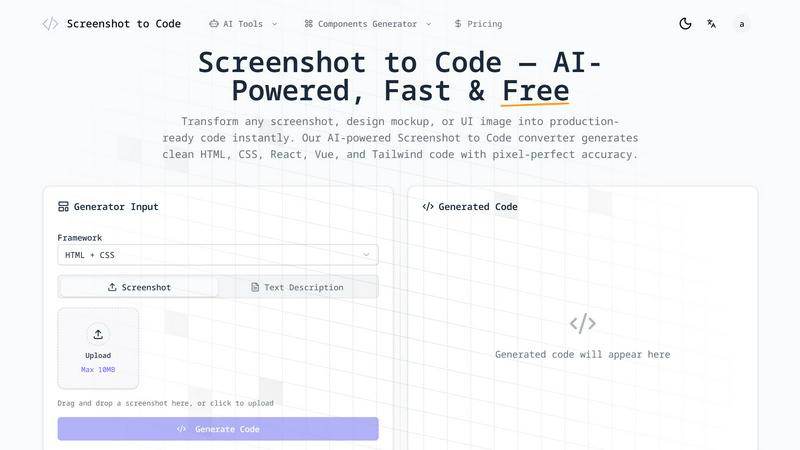
Screenshot to Code is a battle-tested, AI-powered engine that obliterates the barrier between design and development. It's not just another converter; it's a direct pipeline from visual concept to production-ready code. This tool is engineered for front-end developers, UI/UX designers, and product teams who are tired of the tedious, error-prone manual translation of screenshots, Figma mockups, or even hand-drawn sketches into functional HTML and component code. Its core value proposition is ruthless efficiency: reclaim 90% of the time you waste on repetitive markup and styling. While other tools promise conversion, Screenshot to Code delivers pixel-perfect, framework-specific code with military precision. It goes beyond simple element detection, utilizing advanced computer vision to understand layout hierarchies, spacing relationships, and design intent, generating clean, semantic, and maintainable code in seconds. This is the definitive tool for accelerating prototyping, streamlining developer-designer handoff, and bringing ideas to life at an unprecedented pace.