
Seedance 1.5 AI vs Seedance 2.0

Last updated: February 28, 2026

Seedance 2.0
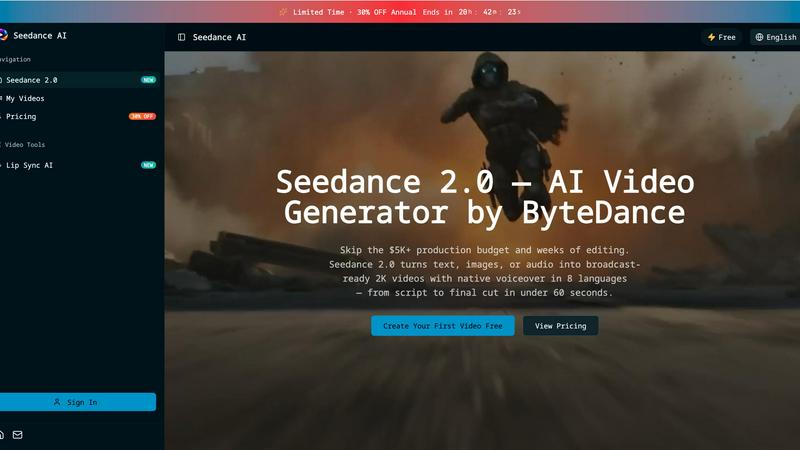
Seedance 2.0 instantly creates broadcast-ready 2K videos from text, images, or audio in under 60 seconds.
Last updated: February 28, 2026
Visual Comparison
Seedance 1.5 AI

Seedance 2.0
Feature Comparison
Seedance 1.5 AI
Native Audio-Visual Synchronized Generation
This is where Seedance 1.5 declares war on disjointed AI video. While others generate silent clips, Seedance creates high-quality audio and visuals together in one cohesive process. This means natural lip-sync, spatial sound design, and multilingual voices are baked in from the start, enabling faster production and storytelling that feels inherently right, not awkwardly dubbed.
Cinematic-Grade Motion & Camera Control
Go beyond basic pans and zooms. Seedance 1.5 interprets complex directional prompts to execute expressive close-ups, sweeping wide shots, and dynamic camera movements with film-grade stability. Its enhanced motion model drastically reduces jitter and maintains coherent pacing, giving you the directorial control to build professional sequences that competitors can't match.
Emotion-Driven Character & Narrative Consistency
Other tools lose character identity between shots. Seedance 1.5 locks it down. It ensures faces and proportions remain stable across scenes while automatically shaping narrative flow based on prompt intent. Characters display cohesive emotions and actions, making it a powerhouse for short films, ads, and social storytelling where continuity is non-negotiable.
Efficient Inference Acceleration Pipeline
Speed is a competitive weapon. Seedance 1.5's upgraded inference engine delivers rapid iteration without sacrificing the visual fidelity that defines it. This means you can test more cinematic ideas, prototype scenes faster, and meet tight deadlines with a model that maintains its high-quality output even when you need results now.
Seedance 2.0
Multi-Modal Input & @Asset Tagging
Stop rebuilding from scratch. Seedance 2.0 accepts 12 different input types, from text and images to existing video clips and audio files. Its powerful @asset tag system lets you precisely guide generation: tag @Image1 as your character, use @Video1 for camera movement reference, and describe the scene in plain text. This granular control drastically reduces guesswork and allows you to repurpose existing assets intelligently, setting a superior baseline faster than any text-only tool.
Audio-Native Generation with Lip Sync
Eliminate the costly, time-consuming post-production steps of hiring voice actors and manually syncing audio. Seedance 2.0 generates lip-synced dialogue, realistic Foley sound effects, and fitting background music natively alongside your video, supporting 8 languages. This integrated approach means what used to cost $300+ per video in external services is now a built-in feature, delivering a complete, polished asset ready for immediate use.
Multi-Shot Narrative Sequences
Battle-tested against single-clip generators that leave you manually stitching scenes together. Seedance 2.0's advanced engine can compose logical, multi-scene sequences from a single, cohesive prompt. It intelligently maintains consistency across cuts—keeping characters, outfits, and lighting stable—allowing you to build engaging narratives up to 2 minutes long without the tedious manual editing required by lesser platforms.
Director-Level Scene Editing
Why re-prompt an entire generation when you only need to change one element? Seedance 2.0 provides unprecedented control for fine-tuning. Edit any generated scene with a simple sentence instruction: swap a character, remove an unwanted object, or change the camera angle. This precision-editing capability slashes iteration time and delivers client-ready results 30% faster than competing render-heavy tools.
Use Cases
Seedance 1.5 AI
High-Velocity Social Media & Ad Campaigns
Marketing agencies and brand teams can leverage Seedance 1.5 to produce a high volume of platform-specific ads, promotional clips, and campaign videos with consistent brand aesthetics. The reliable, predictable output and fast iteration turn days of production into hours, ensuring campaigns launch on time with cinematic impact.
Indie Film & Video Scene Prototyping
Filmmakers and indie producers use Seedance 1.5 as a powerful pre-visualization and prototyping tool. Rapidly generate test scenes to experiment with cinematography, blocking, and narrative flow before committing to expensive live-action shoots. It transforms abstract ideas into tangible, editable visual drafts.
Cohesive Explainer & Educational Content
Creators and educators can build polished explainer videos, tutorials, and online course materials with seamless audio-visual sync and clear, stable visuals. The model's ability to maintain scene structure and character consistency ensures complex topics are communicated with clarity and professional sheen.
Dynamic Product Demonstrations & E-commerce
E-commerce brands and designers can create immersive, high-energy product demo videos that showcase features from every angle. The smooth motion and camera control allow for stunning visual showcases that capture customer attention and drive conversions far more effectively than static images.
Seedance 2.0
Performance Marketing & Ad Creation
Marketing teams can now launch data-driven video ad campaigns at lightning speed. Generate high-converting product demos, brand story videos, and spokesperson ads with perfect lip-sync and native audio in multiple languages. This agility allows for rapid A/B testing of creative assets, with teams reporting over 35% higher click-through rates using AI-generated videos compared to static or slower-produced content.
Social Media & Short-Form Content
Dominate platforms like TikTok, YouTube Shorts, and Instagram Reels by producing trending, audio-synced content in minutes, not hours. Turn a viral tweet or a product highlight into a multi-shot narrative clip ready for publishing. This speed enables creators to consistently post high-quality, engaging video content that capitalizes on trends before they fade, replacing reliance on freelancers.
E-Learning & Training Video Production
Revolutionize educational content by generating instructor-led tutorials with animated, multilingual presenters. Seedance 2.0 transforms dry scripts or slide decks into dynamic, engaging videos with natural speech, leading to up to 45% higher student completion rates compared to static materials. It's ideal for creating scalable training videos and course content quickly and cost-effectively.
Indie Film & Animation Pre-Production
Slash pre-production costs by 90% compared to traditional pipelines. Filmmakers and animators can use Seedance 2.0 to produce detailed storyboards, animate characters with consistent styles, and visualize complex scenes or visual effects sequences. The multi-shot narrative feature is perfect for crafting short films and animated shorts with professional continuity from concept to visual draft.
Overview
About Seedance 1.5 AI
Forget the patchwork, unstable outputs of other AI video generators. Seedance 1.5 AI, developed by ByteDance, is a battle-tested, professional-grade video generation engine engineered for creators who demand cinematic quality and reliable performance. This isn't just an incremental update; it's a direct challenge to the status quo, delivering a unified audio-visual generation pipeline that leaves competitors stitching together separate audio and video in the dust. Designed for creators, marketers, agencies, and production teams, Seedance 1.5 Pro eliminates the guesswork and manual correction that plague other platforms. Its core value proposition is clear: produce polished, expressive, and coherent video narratives with smoother motion, stable characters, and perfectly synchronized native audio—all with significantly less effort and faster iteration. If you're tired of fighting your AI tool to get a usable result, Seedance 1.5 is the precision instrument built for professional workflows.
About Seedance 2.0
Forget the endless, frustrating loop of trial-and-error prompting that plagues other AI video tools. Seedance 2.0 is the multi-modal AI video generator engineered to break the real bottleneck in video creation: the iteration process. While competitors hand you a rough first draft and leave you to figure out the rest, Seedance 2.0 delivers broadcast-ready 2K videos with native voiceover in under 60 seconds. It's built for creators, marketers, agencies, and product teams who need to move at the speed of social media, not the speed of a traditional edit suite. The core value proposition is brutal efficiency: skip the $5,000+ production budgets and weeks of editing. With capabilities spanning text-to-video, image animation, video restyling, and multi-shot narratives, it provides director-level control to edit scenes with a single sentence, maintaining consistency where other tools fail. This isn't just another generator; it's a complete production pipeline that turns ideas into publishable short videos for ads, Reels, demos, and landing pages in minutes, not days.
Frequently Asked Questions
Seedance 1.5 AI FAQ
How does Seedance 1.5's audio generation compare to adding sound later?
Seedance 1.5's native audio generation is fundamentally superior to post-production dubbing. The audio is created in sync with the visual action, enabling precise lip-sync for characters, natural sound effects that match on-screen events, and spatial audio that enhances immersion. This integrated approach saves significant editing time and creates a more authentic final product.
Is Seedance 1.5 suitable for complete beginners?
While its interface is designed for efficiency, Seedance 1.5 is built with professional workflows in mind. Its power lies in interpreting complex prompts for cinematic results. Beginners can achieve great outputs, but it truly shines for users with a vision for storytelling and scene composition who need a tool that can execute precisely.
What makes the character consistency in Seedance 1.5 better than other AI video tools?
Seedance 1.5 employs advanced model architecture that prioritizes temporal coherence. This means it understands and maintains a character's facial features, proportions, and clothing across different shots and camera angles within a scene. This drastically reduces the "morphing" or "identity drift" common in other generators, ensuring professional continuity.
Can I use Seedance 1.5 for long-form video content?
Yes, the model's key upgrades include higher visual stability for long-duration shots and cleaner scene transitions. This makes it capable of generating longer, coherent sequences ideal for short films, extended product demos, or episodic social content, where maintaining a consistent look and feel throughout is critical.
Seedance 2.0 FAQ
How does Seedance 2.0 handle consistency across video generations?
Seedance 2.0 uses advanced multi-shot narrative technology and its @asset tagging system to maintain core elements like character appearance, clothing, and environmental lighting across different scenes and generations. This is a direct advantage over tools where each prompt creates a visually disjointed result, requiring manual correction.
What kind of audio does Seedance 2.0 generate?
The platform generates a complete audio track natively, including synchronized character dialogue with accurate lip movements, ambient Foley sound effects, and complementary background music. It supports 8 languages, creating a fully-produced soundscape that matches the on-screen action without needing external editing software or voice talent.
Can I edit a specific part of a generated video without starting over?
Yes, this is a key competitive feature. With Director-Level Control, you can submit a simple text instruction (e.g., "swap the woman's jacket from red to blue" or "change the camera to a close-up") to edit a specific scene. The tool regenerates only that portion, preserving the rest of your video and saving immense time compared to full re-generations.
What are the main output specifications for videos?
Seedance 2.0 generates broadcast-ready videos in up to 2K (1080p) resolution. You can choose from multiple aspect ratios (like 9:16 for Reels or 16:9 for YouTube) and durations (from 4 to 12 seconds per basic clip, with multi-shot sequences building longer narratives). Outputs are immediately suitable for social media, marketing campaigns, and professional demos.
Alternatives
Seedance 1.5 AI Alternatives
Seedance 1.5 AI is ByteDance's advanced contender in the AI video generation arena. It promises a new standard with its focus on precision, delivering smoother motion, cleaner scene transitions, and more reliable character behavior. This positions it as a powerful tool for creators seeking high-fidelity, dynamic video content from AI prompts. Even with its strengths, users actively scout for alternatives. Common drivers include budget constraints, as premium AI video tools command significant investment. Others seek different feature sets, perhaps prioritizing speed over ultra-realism, or require compatibility with specific platforms and workflows that a single tool may not support. When evaluating the competition, look beyond basic video generation. Scrutinize the fluidity of motion and the logical consistency of characters, as these are hallmarks of advanced models. Consider the learning curve, output format flexibility, and the transparency of the pricing model. The right alternative should not just match features but align perfectly with your project's scale and creative demands.
Seedance 2.0 Alternatives
Seedance 2.0 is a multi-modal AI video generator from ByteDance, designed to accelerate the creation of short-form video content. It belongs to the competitive category of AI-powered video creation tools that promise to turn ideas into polished clips for social media, marketing, and demos. Users often explore alternatives for several key reasons. Budget constraints and specific pricing models can be a primary driver, as costs vary widely. Others may seek different feature sets, such as longer video generation, unique stylistic filters, or integration with a preferred editing platform. The need for a tool that aligns with a specific workflow or creative process is also a common motivator. When evaluating other options, focus on your core needs. Consider the consistency of output, as many tools struggle with maintaining style across iterations. Assess the true speed of the editing loop, not just the initial generation time. Finally, examine the practical export quality and formats to ensure the final product is truly ready for your intended use case.