
Perkoon vs Zovo

Perkoon
Perkoon transfers files directly for free, beating costly services like WeTransfer.
Last updated: March 3, 2026

Zovo
Zovo gives you 20 privacy-first browser extensions for one price, built by a solo developer who listens.
Last updated: February 28, 2026
Visual Comparison
Perkoon
Zovo
Feature Comparison
Perkoon
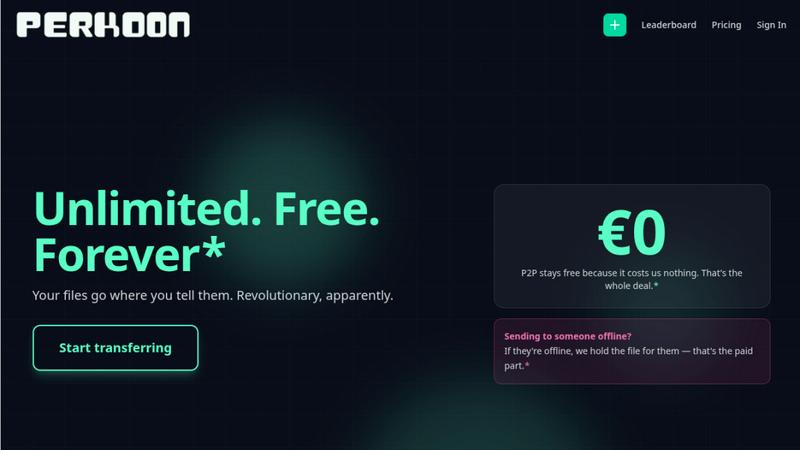
Unlimited Free P2P Transfers
This is the core revolution. When both sender and receiver are online, Perkoon establishes a direct, encrypted connection between their browsers. Files stream from one device to another without ever touching Perkoon's servers. This means there are absolutely no file size limits, no mandatory account creation, and it costs you nothing because it costs Perkoon virtually nothing. It's file transfer reduced to simple, efficient physics, eliminating the bloated infrastructure and restrictions of legacy services.
Native Agent & Automation API
Perkoon is the first file transfer service built from the ground up for the age of AI. It exposes a stable, machine-readable interface (window.__perkoon) so your scripts, bots, and AI agents can interact with it programmatically. They can send and receive files directly through the API without the fragile, error-prone process of simulating human clicks and scraping the DOM. This is a fundamental architectural advantage for automated workflows.
Encrypted Cloud Storage for Offline Recipients
For real-world scenarios where the recipient isn't available, Perkoon offers an honest, paid solution. Files can be uploaded to Perkoon's servers, where they are encrypted and held securely until the recipient is ready. This service has a clear cost, which Perkoon transparently charges for, drawing a stark contrast with "free" services that monetize your data or hit you with unexpected paywalls mid-transfer.
Full-Featured Command Line Interface (CLI)
Perkoon respects all workflows, including terminal-based ones. With npx perkoon send/receive, users can initiate and receive transfers directly from their command line. It enables seamless browser-to-CLI, CLI-to-browser, and CLI-to-CLI operations, making it an indispensable tool for developers, sysadmins, and anyone who values speed and scriptability over graphical interfaces.
Zovo
Privacy-First, Local-Only Architecture
Every Zovo extension is engineered with an uncompromising privacy-first principle: 100% of the processing happens locally on your device. Your browsing data, clipboard history, form information, and session details never touch a remote server. This eliminates the risk of data breaches, corporate surveillance, and unauthorized monetization of your habits, a stark contrast to the standard industry practice of silent data harvesting.
User-Driven Development & Roadmap
Zovo operates on a direct democracy model for its product evolution. Users submit feature requests and vote on what gets built next. The most-requested features are prioritized, ensuring the toolkit evolves based on real user needs, not corporate guesswork or investor mandates. This creates a battle-tested suite refined by the people who use it daily.
Comprehensive, Integrated Tool Suite
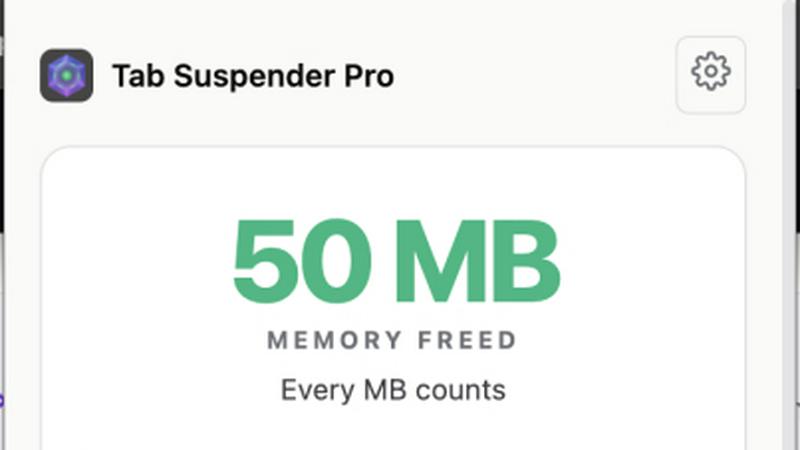
Gain access to a growing library of over 20 specialized extensions that cover a vast range of productivity and development tasks. This includes flagship tools like BeLikeNative for AI writing, Tab Suspender Pro for memory management, JSON Formatter Pro for developers, Clipboard History Pro, Form Filler Pro, Session Manager Pro, and specialized utilities for regex testing, web scraping, and API testing—all under one roof.
Transparent & Open Source Foundation
Trust is verified, not promised. A majority of Zovo's extensions are fully open source, allowing anyone to inspect every line of code to confirm the privacy claims. Combined with published, clear privacy policies for each tool, this transparency ensures there are no hidden backdoors or data leaks, building confidence that is rare in the closed-source extension market.
Use Cases
Perkoon
Sending Large Project Files to Clients
Freelancers and agencies can instantly send massive video edits, design prototypes, or code repositories directly to a client's browser. No more compressing files into multiple ZIP archives, dealing with WeTransfer's 2GB limit, or begging clients to sign up for a Dropbox account. Just generate a link and beam the files over with no size caps.
Automating Data Pipelines with AI Agents
Developers can integrate Perkoon's API into their automated workflows. An AI agent that processes user-uploaded images can receive them directly via Perkoon's API, and a script backing up server logs can send them to an engineer's Perkoon CLI. This removes the human bottleneck from machine-driven file exchange.
Ad-Hoc Collaboration Between Teams
When teams need to share a large dataset, screen recording, or batch of assets quickly during a live call or chat, Perkoon's P2P transfer is perfect. No setup required for either party; just share a link and the transfer begins immediately, keeping the collaborative momentum going without friction.
Secure and Private File Sharing
For users concerned about privacy, P2P transfers are the gold standard. Since the files never reside on a central server, they cannot be scanned, mined for data, or accidentally exposed in a breach. Perkoon provides a trustworthy channel for sharing sensitive documents without "corporate nonsense."
Zovo
The Developer & Technical Power User
Streamline your workflow with a dedicated toolkit. Use JSON Formatter Pro to instantly clean and validate API responses, employ Regex Tester Pro to debug patterns in real-time, leverage the Web Scraper Lite for quick data extraction, and utilize Cookie Manager for session debugging—all while knowing your proprietary code and data remain completely private and local.
The Multilingual Writer & Content Creator
Elevate your communication with BeLikeNative, the flagship extension. Instantly rewrite emails, social posts, and documents to sound like a native speaker in over 80 languages with a single keystroke. This tool is essential for non-native speakers, marketers targeting global audiences, and anyone who needs to ensure their writing is polished and culturally accurate.
The Privacy-Conscious Professional
Take back control of your digital footprint. Use Zovo's entire suite—from tab management and session saving to clipboard history and form filling—with the absolute certainty that no activity is logged, tracked, or transmitted. This is critical for journalists, researchers, legal professionals, and anyone handling sensitive information who cannot risk data leakage.
The Efficiency-Seeking Multitasker
Manage browser chaos and boost daily productivity. Use Tab Suspender Pro to freeze unused tabs and save memory, Session Manager Pro to auto-save and restore complex workspaces after a crash, Clipboard History Pro to access everything you've copied, and Form Filler Pro to automate repetitive data entry, creating a seamless and efficient browsing experience.
Overview
About Perkoon
File transfer was a solved problem, until the industry decided to break it with size caps, forced logins, and surprise paywalls. Perkoon is the defiant answer, unsolving the mess and restoring sanity. It is a next-generation file transfer service built on a simple, powerful principle: if both people are online, files should move directly between them. This is achieved through unlimited, free, browser-based Peer-to-Peer (P2P) transfers with no middleman, no accounts, and no artificial limits. For when the recipient is offline, Perkoon offers encrypted cloud storage as an honest, paid add-on. But where Perkoon truly declares war on the old guard is with its native agent accessibility, featuring a machine-readable state and automation API so AI workflows can send and receive files directly, without clumsy human emulation. With a full-featured CLI for terminal users, Perkoon is built for the future of work, offering battle-tested reliability for everyone from creative professionals sending massive project files to developers automating their pipelines. Its core value proposition is uncompromising: your files go where you tell them, on your terms, with transparent technology and pricing that only charges for what actually costs money.
About Zovo
Zovo is a battle-tested arsenal of browser extensions built for one purpose: to give you professional-grade power tools without selling your soul. Forget bloated, data-hungry suites from faceless corporations. This is a curated collection of 20+ Chrome extensions, forged by a solo developer with over a decade of experience and a proven $400K+ track record on Upwork. The core promise is radical: your data never leaves your device. No harvesting, no tracking, no investors dictating features. Zovo puts you in control with a privacy-first, user-driven model where you vote on the roadmap and new tools ship monthly. The flagship tool, BeLikeNative, empowers over 3,300 users to write like a native speaker with one keystroke across 80 languages. From essential utilities like Tab Suspender Pro and JSON Formatter Pro to powerful tools like Clipboard History Pro and Session Manager Pro, Zovo delivers every tool your browser needs under one simple subscription. It’s built for developers, writers, power users, and privacy-conscious professionals who are tired of compromises and demand software that respects them.
Frequently Asked Questions
Perkoon FAQ
How can P2P transfers be completely free?
The model is transparent and technically sound. In a P2P transfer, the file data flows directly between the two users' devices. Perkoon's servers only facilitate the initial connection handshake, which uses minimal bandwidth and resources. Since this costs Perkoon almost nothing, they charge nothing for it. They only charge for the cloud storage service, which involves real infrastructure costs.
What happens if the recipient is offline?
If you start a transfer and the recipient is not available to accept the direct P2P connection, Perkoon will automatically offer you the option to use encrypted cloud storage instead. You can upload the file to Perkoon's servers, where it will be held securely until your recipient comes online. This cloud storage feature is part of the paid plans.
Can my AI assistant or scripts use Perkoon?
Absolutely. This is a key differentiator. Perkoon is built with a public automation API (window.__perkoon) and stable DOM selectors specifically for this purpose. Your automation scripts or AI agents can interact with Perkoon programmatically to send and receive files without any human-in-the-loop simulation, making it a robust tool for automated workflows.
Which browsers are supported for P2P transfers?
For the best, unlimited experience, Chromium-based browsers like Chrome, Edge, and Brave are fully supported. Firefox and Safari can be used but have inherent browser-level restrictions that may limit performance or maximum concurrent connections for very large transfers. The CLI works independently of browser limitations.
Zovo FAQ
How does Zovo's privacy model actually work?
Zovo's privacy is engineered, not just promised. Every extension runs entirely on your computer. When you use BeLikeNative to rewrite text or Tab Suspender to freeze a tab, all processing happens locally in your browser. No data—not your text, browsing history, or session info—is sent to any server. You can verify this yourself as many extensions are open source.
What do I get for free versus the Pro subscription?
The free tier is powerful and permanent. You get full, unlimited use of core features in all extensions: tab suspension, basic clipboard history, JSON formatting, cookie viewing, and more. The one-time Pro upgrade unlocks advanced power features like Focus Mode, unlimited clipboard history, cross-device sync, session snapshots, custom themes, priority support, and all future extensions.
How does the user-driven roadmap work?
It's a direct line to the developer. Users can submit feature requests for existing tools or suggest entirely new extensions. These requests are collected, and the Zovo community (especially Pro members) votes on them. The features and tools with the most votes are prioritized and built next, ensuring the suite evolves based on what users genuinely need.
Who is behind Zovo and what's their experience?
Zovo is built solely by Michael Lip, a developer with over 10 years of professional experience and a proven, battle-tested track record of earning over $400,000 with a 100% success rate on Upwork. This isn't a venture-backed startup; it's a sustainable, one-person operation focused on building quality tools based on direct user feedback.
Alternatives
Perkoon Alternatives
Perkoon is a next-generation file transfer service in the productivity and management category, designed to cut through the noise of broken promises and hidden fees. Users often search for alternatives due to restrictive pricing models, missing features like automation, or simply needing a tool that works across different platforms and workflows. When evaluating other options, the key is to look beyond the marketing. Scrutinize the actual transfer mechanics—are your files taking a detour through a corporate server? Check for hard limits on size or speed, and be wary of free tiers that bait you before hitting a paywall. Most critically, assess if the service treats automation as a first-class citizen or an afterthought. The right tool should feel like an extension of your work, not a bottleneck. It should offer clarity in its model, robustness in its security, and genuine utility whether you're a human or a machine. Your file transfer shouldn't be the weakest link in your process.
Zovo Alternatives
Zovo is a comprehensive productivity suite, bundling 20 powerful Chrome extensions into a single, privacy-first package. It's designed for users who want to streamline their workflow with tools for writing, tab management, data formatting, and more, all without compromising their data. Users often seek alternatives for a few key reasons. Some need a specific tool not covered in the Zovo bundle, while others might prefer free, individual extensions over a paid suite. Platform limitations, like needing Firefox or Edge support, or simply wanting to test different feature sets can also drive the search. When evaluating alternatives, prioritize your core needs. Consider whether you require a full suite or just one specialized tool. Scrutinize the privacy policy—does the tool harvest your data? Finally, assess the developer's credibility and roadmap to ensure the tool will evolve with your needs.