
LUMI room planner
Transform real photos into stunning room designs with LUMI, the ultimate AI room planner for effortless styling.

About LUMI room planner
LUMI room planner is an innovative AI-driven tool designed to transform the way you visualize and redesign your living spaces. Unlike traditional design software that requires meticulous measurements and technical skills, LUMI allows users to upload real photos of their rooms and experiment with various furniture arrangements and styles effortlessly. Whether you are a homeowner looking to refresh your space or a professional designer seeking a reliable tool for client presentations, LUMI provides a seamless experience. Its main value proposition lies in generating photorealistic "before and after" renders in minutes, enabling users to see realistic redesigns without the hassle of drafting complex floor plans or using CAD software. With LUMI, turning your design dreams into reality has never been easier.
Features of LUMI room planner
Photo to New Style
With LUMI's photo to new style feature, users can upload a real room photo and choose from a variety of design styles including Scandinavian, Japandi, modern, and minimal. The AI respects the original light, angles, and proportions of the room while applying a fresh aesthetic, ensuring that the final design feels both innovative and realistic.
Furniture Try-On
The furniture try-on feature allows users to swap out specific furniture pieces like sofas, beds, or tables while keeping the rest of the room intact. This ensures that the layout remains coherent and aligned, eliminating the frustrations of misalignments that often occur in other design tools.
Floorplan to 3D Views
LUMI excels at converting simple 2D floorplans into dynamic 3D perspectives, providing users with an intuitive understanding of how circulation, furniture, and storage will function within the space. This feature makes it easy for anyone, regardless of design experience, to visualize their new layout effectively.
Project-Based Workflow
The project-based workflow in LUMI keeps everything organized. Each version of a room is saved within a single project, allowing users to track the evolution of their designs. This feature is particularly beneficial for those testing multiple ideas, as it simplifies comparisons and streamlines the design process.
Use Cases of LUMI room planner
Homeowners Redesigning Spaces
Homeowners looking to refresh their interiors can use LUMI to visualize new layouts and styles before committing to changes. The ability to generate realistic renders helps in decision-making and ensures that the final outcome aligns with their vision.
Interior Designers Presenting Concepts
Professional interior designers can leverage LUMI to create compelling presentations for their clients. By showcasing photorealistic designs tailored to client preferences, designers can effectively communicate concepts and gain approvals more efficiently.
Real Estate Staging
Real estate agents can utilize LUMI to stage properties virtually, helping potential buyers envision how a space could be transformed. This can lead to quicker sales and increased interest, as buyers can see the full potential of a property.
Visualizing Renovation Ideas
For those considering renovations, LUMI serves as a practical tool to visualize different configurations and styles. Users can experiment with ideas, ensuring they make informed decisions about their renovations without the risk of costly mistakes.
Frequently Asked Questions
How does LUMI ensure realistic design outputs?
LUMI's AI-driven technology analyzes the existing architecture and lighting of your room, ensuring that every redesign respects the original proportions, angles, and natural light, resulting in realistic outcomes.
Can I use LUMI for commercial spaces?
Yes, LUMI is versatile enough to be used for both residential and commercial spaces. Whether you are designing an office, a retail space, or a hospitality venue, LUMI can help create effective layouts that meet your needs.
Is there a limit to the number of projects I can create?
LUMI allows you to create multiple projects simultaneously, with no specified limit. Each project is organized for easy access, enabling users to manage different spaces without confusion.
What file formats does LUMI support for exporting designs?
LUMI supports exporting designs in various formats, including high-resolution images up to 4K. This allows users to share their designs on multiple platforms, whether for personal use or professional presentations.
Explore more in this category:
Top Alternatives to LUMI room planner
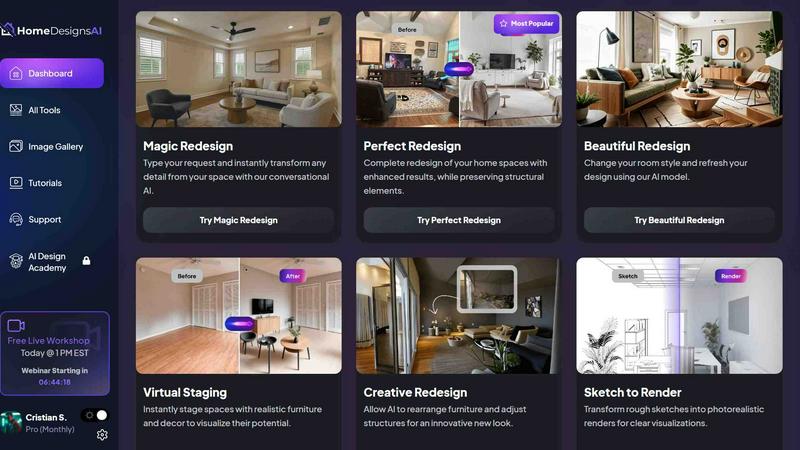
HomeDesignsAI
HomeDesignsAI lets you upload any space and instantly redesign interiors, exteriors, or gardens with AI in under 30 seconds.
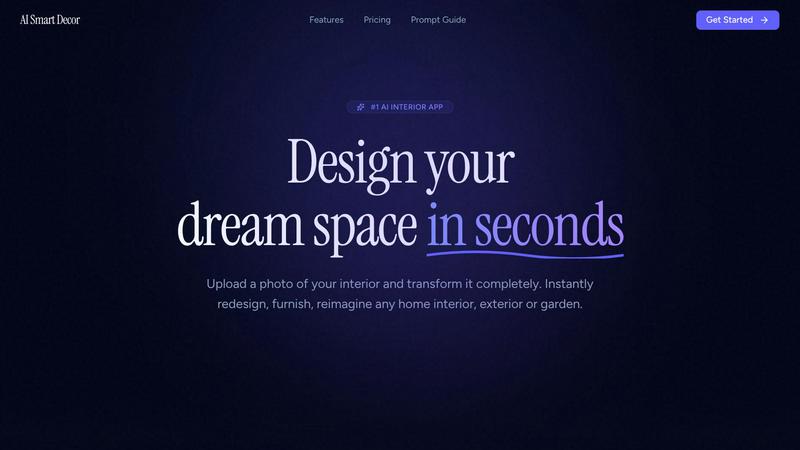
AI Smart Decor
AI Smart Decor instantly redesigns any room you photograph, beating manual tools that take hours.

RoomX.AI
Transform vacant real estate listings into buyer magnets in 30 seconds with AI virtual staging for only $0.02 per image.

Decory
Transform your space in seconds with Decory's AI-powered room design that delivers stunning results tailored to your.