
Opal
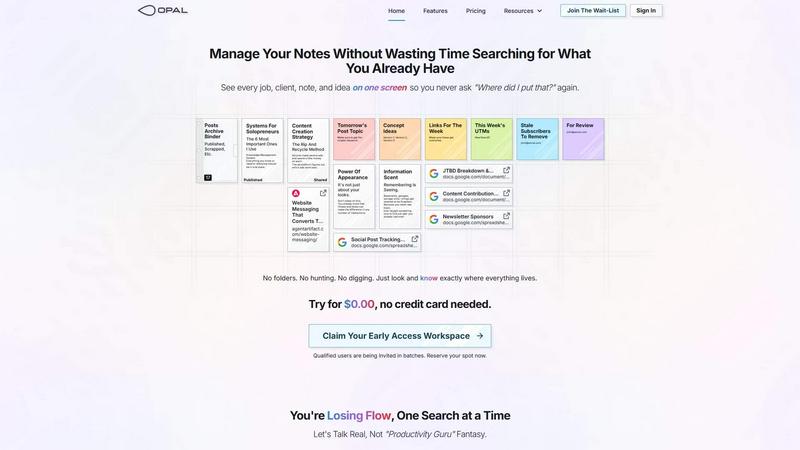
Opal transforms your creative chaos into clarity, keeping every job, client, note, and idea organized on one intuitive screen.
About Opal
Opal is a revolutionary productivity tool designed to combat the chaos of traditional note-taking and file management systems. Unlike conventional apps that rely on folders and categories, Opal provides a vast, visual workspace where users can arrange their notes, documents, and files on an infinite canvas. This unique approach allows users to see everything in one glance, ensuring that critical information is always at their fingertips. Whether you are a freelancer managing multiple clients, a project manager overseeing tasks, or a content creator developing ideas, Opal is tailored for anyone who needs to keep track of numerous details and projects simultaneously. Its main value proposition lies in its ability to boost productivity by eliminating the frustration of searching for information, ultimately allowing you to focus on what truly matters—your work.
Features of Opal
Visual Infinite Canvas
Opal's visual infinite canvas allows users to organize their notes, documents, and files spatially. You can drag and drop items wherever you want, ensuring everything stays visible and accessible, enhancing your workflow and productivity.
Real-Time Collaboration
With Opal, you can share your workspace and collaborate with others in real time. This feature is essential for teams, enabling seamless communication and collective input on projects, making it easier to brainstorm and finalize ideas together.
Rich Media Block Editor
The built-in markdown-based block editor empowers users to create and manage content with rich media. Write scripts, manuals, or connect ideas effortlessly, all while enjoying a user-friendly interface that enhances creativity and organization.
AI Integration
Opal seamlessly integrates with AI tools through the Opal Recall skill via the API, allowing users to enhance their productivity by leveraging AI to retrieve information and automate tasks, making your workflow even more efficient.
Use Cases of Opal
Freelance Project Management
For freelancers juggling multiple clients, Opal enables you to visualize all active projects, notes, and deadlines in one place. You can quickly access client details and deliverables without wasting time searching through various platforms.
Content Creation
Content creators can use Opal to organize ideas, drafts, and research materials visually. This approach helps streamline the writing process, allowing for quick retrieval of inspiration and information, ultimately improving the quality of your output.
Knowledge Management
Businesses can utilize Opal as a centralized knowledge management system. By storing standard operating procedures, guidelines, and resources on a visual canvas, teams can ensure everyone has access to the information they need, reducing onboarding time and improving efficiency.
Collaborative Brainstorming
Opal is perfect for teams engaging in brainstorming sessions. The visual layout allows for easy manipulation of ideas and concepts, enabling participants to build on each other’s thoughts organically without losing sight of the big picture.
Frequently Asked Questions
How does Opal improve productivity?
Opal eliminates the need for traditional file systems that require searching through folders. Its visual workspace allows users to see everything they need at a glance, significantly reducing the time spent searching for information.
Can I collaborate with my team on Opal?
Absolutely! Opal features real-time collaboration, enabling multiple users to work together on projects, share ideas, and edit content simultaneously, fostering teamwork and enhancing project outcomes.
What types of media can I use in Opal?
Opal supports various media types, including text, images, PDFs, and more. The rich media block editor allows you to incorporate these elements seamlessly into your notes and documents.
Is Opal suitable for large teams?
Yes, Opal is designed to accommodate both individuals and large teams. Its collaborative features and visual organization make it an excellent choice for any size of organization looking to enhance productivity and communication.
Top Alternatives to Opal
Cece AI
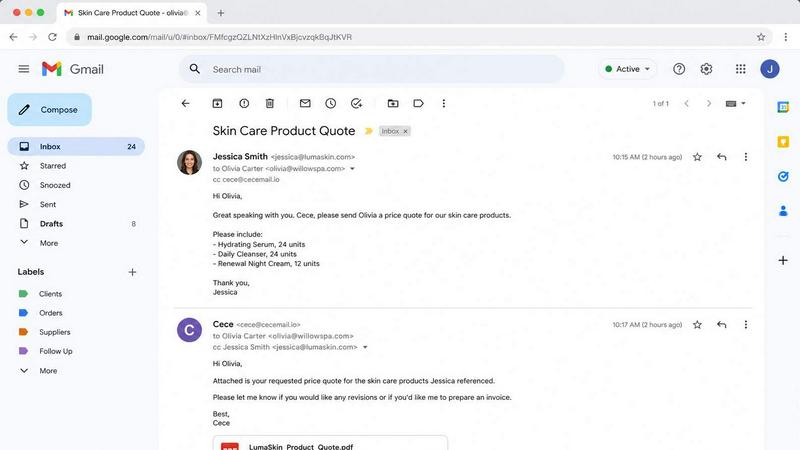
Cece AI is your inbox-based assistant that handles email, scheduling, and invoices for a fraction of a real hire's cost.

Texas Pro Build
Texas Pro Build delivers top-tier roofing solutions in Fort Worth, specializing in repairs, replacements, and storm damage restoration with.

MPulse CMMS Software
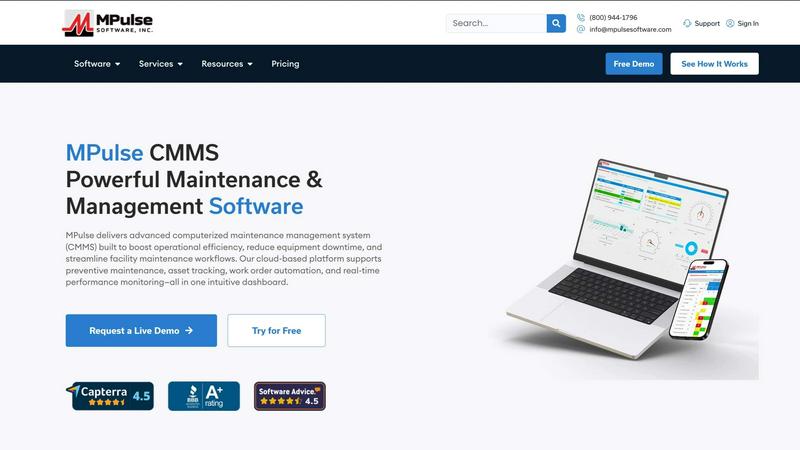
MPulse CMMS crushes equipment downtime with automated maintenance and real-time asset tracking that outperforms every other system.

ReadTube
Transform your YouTube subscriptions into a focused newsletter, prioritizing deep insights over endless autoplay distractions.
EasyCalc
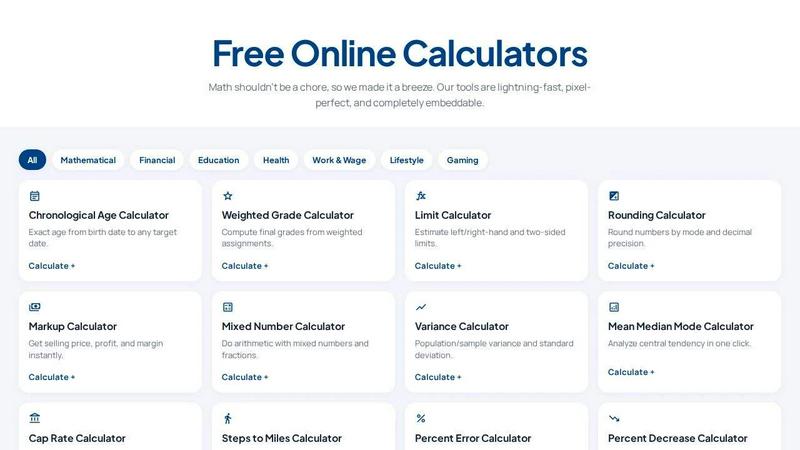
EasyCalc delivers 100+ free, embeddable calculators that outperform clunky alternatives with instant, accurate results for math, finance, health, and.