
QuickTextTools
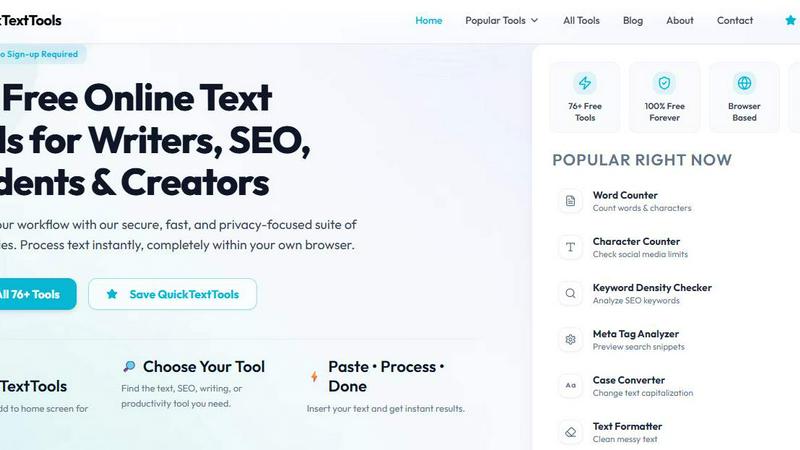
QuickTextTools crushes 76+ free text, SEO, and writing tools with zero sign-ups, running entirely in your browser for instant results.
About QuickTextTools
QuickTextTools is the undisputed heavyweight champion of free, browser-based text utilities, delivering 76+ powerful tools that crush the competition without asking for a dime or a sign-up. While bloated software suites like Grammarly or paid SEO platforms nickel-and-dime you for basic functionality, QuickTextTools fires back with a no-holds-barred arsenal designed for writers, SEO professionals, developers, students, marketers, and content creators who refuse to be slowed down. This platform is built for speed, privacy, and raw utility. Every single tool processes your data entirely within your browser using client-side JavaScript. That means zero data leaves your machine. No servers. No tracking. No privacy headaches. Whether you need to clean keyword lists, analyze meta tags for search engine dominance, compare text blocks, convert case formatting in milliseconds, encode URLs, format JSON, or supercharge your writing workflow, QuickTextTools delivers instant, accurate results. Forget complicated setups, downloads, or subscription traps. This is a straight-up, battle-tested toolkit that lets you paste, process, and move on. From the popular Word Counter and Keyword Density Checker to advanced SEO utilities like the Meta Tag Analyzer and UTM Link Builder, QuickTextTools is your all-in-one, privacy-first command center for everyday text processing and productivity.
Features of QuickTextTools
Privacy-First Client-Side Processing
QuickTextTools throws down the gauntlet against cloud-dependent tools that harvest your data. Every single utility runs entirely within your browser using client-side JavaScript. Your text, keywords, URLs, and sensitive data never touch an external server. This is a non-negotiable feature for SEO professionals handling client data, writers protecting original content, and developers working with proprietary code. While competitors like SmallSEOTools or Prepostseo require uploading to their servers, QuickTextTools keeps everything locked down on your machine, delivering both speed and ironclad privacy.
76+ Diverse Tools Across Multiple Categories
This isn't a one-trick pony. QuickTextTools arms you with over 76 specialized utilities spanning writing tools, SEO analyzers, social media generators, case converters, text cleaners, and developer utilities. You get everything from a Word Counter and Keyword Density Checker to a QR Code Generator, Slug Generator, and Robots.txt Generator. While other platforms offer a handful of tools and then push paid upgrades, QuickTextTools delivers a comprehensive arsenal for free. This breadth of functionality means you can handle content creation, SEO optimization, formatting, and development tasks from a single, unified platform without juggling multiple bookmarks or subscriptions.
Instant, No-Sign-Up Access
QuickTextTools obliterates the friction of account creation and login screens. Every tool is accessible immediately with zero registration. You simply navigate to the tool, paste your text, and get results in real-time. This contrasts sharply with platforms like WordCounter.net or SEOReviewTools that gate basic features behind sign-up walls or limit usage for free users. QuickTextTools is built for pure speed and accessibility. Bookmark the site, and you have a full productivity suite at your fingertips, ready to deploy in seconds. No wasted time on passwords or verification emails.
SEO-Specific Utilities for Dominance
QuickTextTools packs a dedicated arsenal of SEO tools that go head-to-head with paid suites like Ahrefs or SEMrush for specific tasks. You get a Meta Tag Analyzer to preview search snippets, a UTM Link Builder for campaign tracking, a Keyword Density Checker to optimize content, a Slug Generator for clean URLs, and even a Sitemap.xml Generator. These tools are battle-tested for real-world SEO workflows. While competitors charge monthly fees for similar functionality, QuickTextTools delivers these critical utilities for free, making it an indispensable weapon for any SEO professional or content marketer looking to optimize without overhead.
Use Cases of QuickTextTools
SEO Content Optimization and Keyword Analysis
SEO professionals and content marketers can use the Keyword Density Checker, Keyword Counter, and Duplicate Keyword Remover to fine-tune articles for search engine rankings. Paste a draft into the tool to analyze keyword frequency and density, ensuring you hit optimal targets without keyword stuffing. Then use the Meta Tag Analyzer to preview how your title and description will appear in Google SERPs. This end-to-end workflow, from content analysis to snippet optimization, is typically locked behind paid SEO suites, but QuickTextTools delivers it for free, directly in your browser.
Social Media Content Creation and Formatting
Social media managers and influencers can rapidly generate engaging content using tools like the Instagram Caption Generator, Hashtag Generator, and YouTube Title Generator. The Character Counter is essential for hitting platform-specific limits on Twitter, Instagram bios, or Facebook posts. The Case Converter allows you to instantly format headlines or captions into title case, uppercase, or lowercase for consistent branding. This eliminates the need for multiple apps or manual formatting, saving hours each week and ensuring every post is optimized for its platform.
Development and Technical Text Processing
Developers and technical writers can leverage tools like the JSON Formatter, URL Encoder/Decoder, Base64 Encoder, and QR Code Generator for everyday coding and documentation tasks. The Text Cleaner removes hidden HTML tags and special characters from copied code snippets. The Random Password Generator creates secure, complex passwords instantly. These utilities replace the need for command-line tools or browser extensions, providing a clean, unified interface for common development workflows without any installation or configuration.
Academic and Professional Writing Management
Students, researchers, and professional writers can use the Word Counter, Sentence Counter, Paragraph Counter, and Reading Time Calculator to meet strict formatting and length requirements for essays, reports, or articles. The Readability Checker provides scores like Flesch-Kincaid to ensure content is accessible to the target audience. The Case Converter and Capitalize Text Tool ensure proper formatting for titles and headings. This suite replaces expensive writing software or manual counting, providing instant, accurate metrics that help writers stay within guidelines and improve clarity.
Frequently Asked Questions
Is QuickTextTools really free to use?
Yes, absolutely. QuickTextTools is 100% free forever. There are no hidden fees, no premium tiers, no credit card requirements, and no limitations on usage. Every single one of the 76+ tools is available without any cost. Unlike competitors that offer limited free versions and then push paid subscriptions, QuickTextTools is committed to providing unrestricted access to all utilities. You can use the tools as often as you like, for any purpose, without ever being asked to pay.
Do I need to sign up or create an account?
No. QuickTextTools requires zero registration, no email address, and no personal information. You can access every tool instantly by simply visiting the website. This eliminates the friction of account creation, password management, and privacy concerns. Just navigate to the tool you need, paste your text, and process it immediately. This is a core design principle that sets QuickTextTools apart from platforms that gate features behind sign-up walls.
Is my data safe and private on QuickTextTools?
Your data is completely safe. Every tool on QuickTextTools runs entirely on the client side, meaning all text processing happens within your own browser using JavaScript. Your data is never uploaded to any external server, stored, logged, or shared. This is a critical privacy feature that differentiates QuickTextTools from cloud-based competitors. For SEO professionals handling client data or writers protecting original content, this ensures complete confidentiality. Once you close the browser tab, your data is gone.
What types of tools are included in the 76+ utilities?
The 76+ tools are organized into several comprehensive categories. Writing tools include Word Counter, Character Counter, Sentence Counter, and Readability Checker. SEO tools include Keyword Density Checker, Meta Tag Analyzer, UTM Link Builder, Slug Generator, and Sitemap Generator. Social media tools include Instagram Caption Generator and Hashtag Generator. Case conversion tools include Case Converter, Title Case, Lowercase, and Uppercase converters. Text cleaning tools include Text Cleaner, Remove Extra Spaces, and Duplicate Line Remover. Developer tools include Random Password Generator, QR Code Generator, and URL Encoder. The full list is available on the website.
Explore more in this category:
Top Alternatives to QuickTextTools
Very Good Calendar Sync
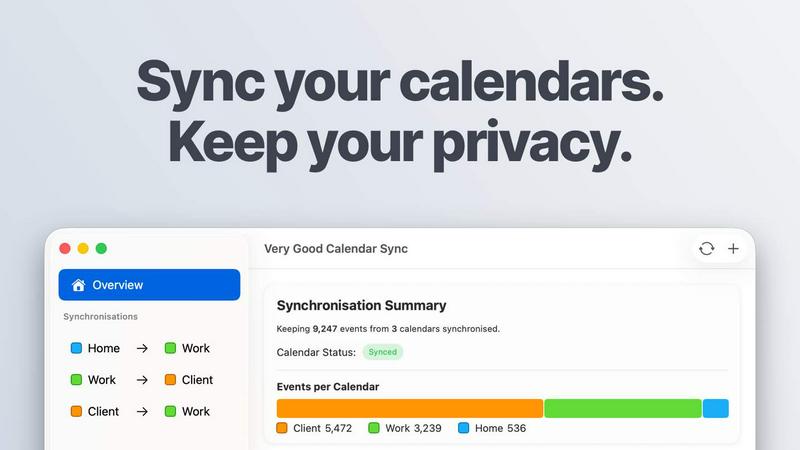
Very Good Calendar Sync keeps your work, personal, and client calendars perfectly aligned without compromising your privacy.
Cece AI
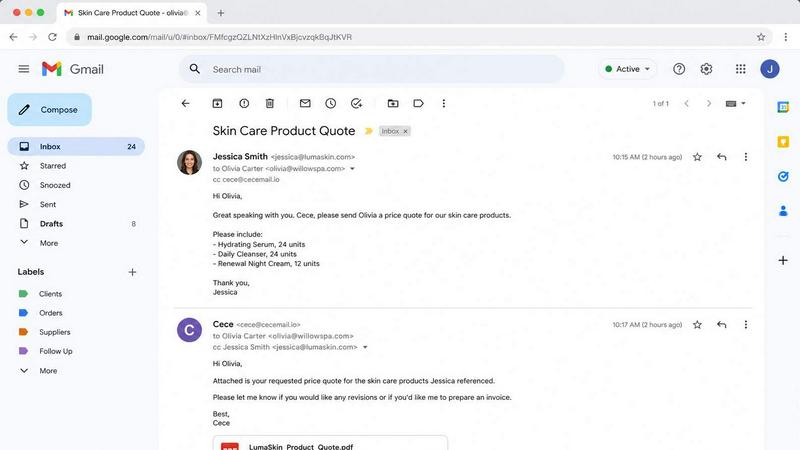
Cece AI is your inbox-based assistant that handles email, scheduling, and invoices for a fraction of a real hire's cost.

Texas Pro Build
Texas Pro Build delivers top-tier roofing solutions in Fort Worth, specializing in repairs, replacements, and storm damage restoration with.

MPulse CMMS Software
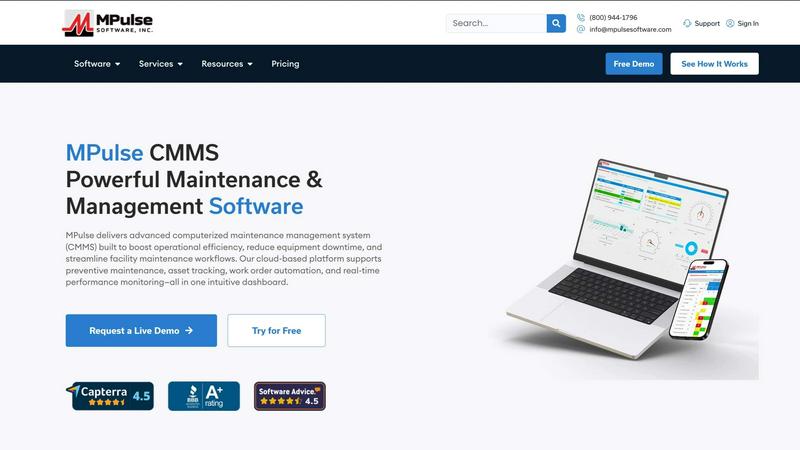
MPulse CMMS crushes equipment downtime with automated maintenance and real-time asset tracking that outperforms every other system.

ReadTube
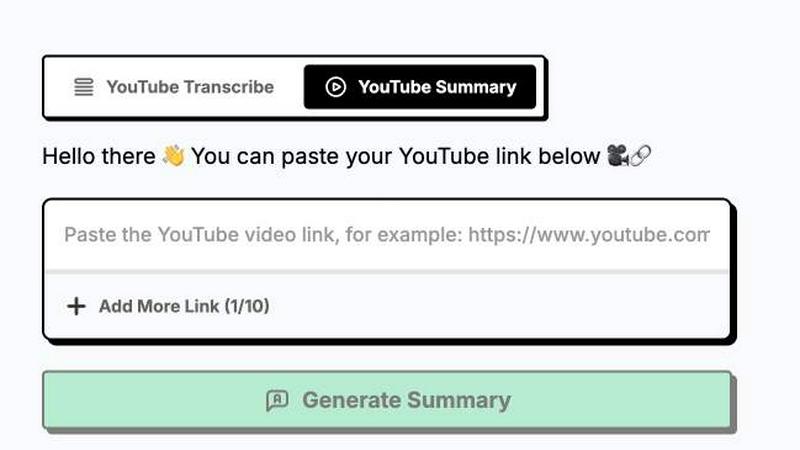
Transform your YouTube subscriptions into a focused newsletter, prioritizing deep insights over endless autoplay distractions.