
ConvertBankToExcel vs Perkoon

ConvertBankToExcel
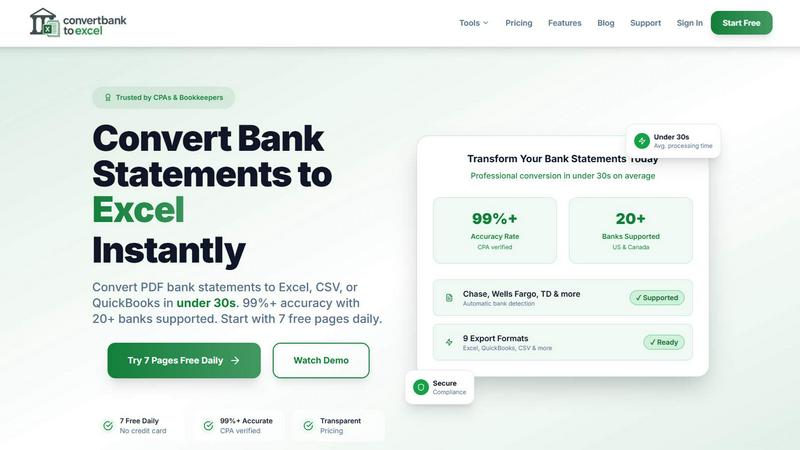
ConvertBankToExcel swiftly transforms your PDF bank statements into accurate Excel or CSV files in under 30 seconds.
Last updated: February 28, 2026

Perkoon
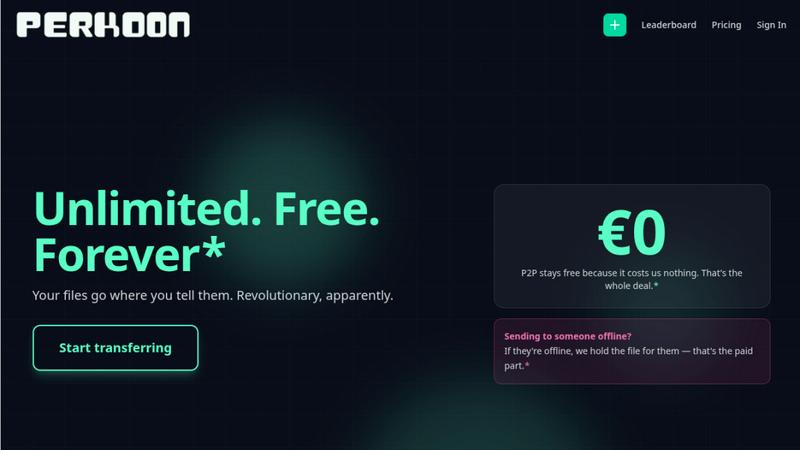
Perkoon transfers files directly for free, beating costly services like WeTransfer.
Last updated: March 3, 2026
Visual Comparison
ConvertBankToExcel
Perkoon
Feature Comparison
ConvertBankToExcel
99%+ Accuracy Rate
Our platform boasts an impressive accuracy rate exceeding 99%, as verified by CPAs. This means you can trust ConvertBankToExcel to deliver precise data extraction from your bank statements, minimizing errors and ensuring reliability in financial reporting.
Lightning-Fast Processing
ConvertBankToExcel processes bank statements in under 30 seconds on average. This rapid turnaround allows accounting professionals to handle large volumes of data quickly, making it an indispensable tool for time-sensitive financial tasks.
Comprehensive Format Support
We support an extensive range of export formats, including Excel, CSV, QuickBooks (QBO/QFX/OFX/IIF), JSON, and XML. This versatility ensures that you can easily import your converted data into any accounting software, enhancing your workflow and efficiency.
AI-Powered OCR Technology
Our advanced Optical Character Recognition (OCR) technology automatically extracts data from both digital and scanned PDF documents. This feature allows for seamless processing of various statement types, including checking, savings, and credit card statements, ensuring comprehensive coverage of your financial documents.
Perkoon
Unlimited Free P2P Transfers
This is the core revolution. When both sender and receiver are online, Perkoon establishes a direct, encrypted connection between their browsers. Files stream from one device to another without ever touching Perkoon's servers. This means there are absolutely no file size limits, no mandatory account creation, and it costs you nothing because it costs Perkoon virtually nothing. It's file transfer reduced to simple, efficient physics, eliminating the bloated infrastructure and restrictions of legacy services.
Native Agent & Automation API
Perkoon is the first file transfer service built from the ground up for the age of AI. It exposes a stable, machine-readable interface (window.__perkoon) so your scripts, bots, and AI agents can interact with it programmatically. They can send and receive files directly through the API without the fragile, error-prone process of simulating human clicks and scraping the DOM. This is a fundamental architectural advantage for automated workflows.
Encrypted Cloud Storage for Offline Recipients
For real-world scenarios where the recipient isn't available, Perkoon offers an honest, paid solution. Files can be uploaded to Perkoon's servers, where they are encrypted and held securely until the recipient is ready. This service has a clear cost, which Perkoon transparently charges for, drawing a stark contrast with "free" services that monetize your data or hit you with unexpected paywalls mid-transfer.
Full-Featured Command Line Interface (CLI)
Perkoon respects all workflows, including terminal-based ones. With npx perkoon send/receive, users can initiate and receive transfers directly from their command line. It enables seamless browser-to-CLI, CLI-to-browser, and CLI-to-CLI operations, making it an indispensable tool for developers, sysadmins, and anyone who values speed and scriptability over graphical interfaces.
Use Cases
ConvertBankToExcel
Streamlining Tax Preparation
ConvertBankToExcel simplifies the tax preparation process by organizing and converting bank statements into easily manageable formats. Accountants can efficiently gather necessary documentation for IRS requirements, reducing the risk of audits and ensuring compliance.
Enhancing Mortgage Applications
When applying for a mortgage, clear and organized financial statements are crucial. ConvertBankToExcel allows users to transform their bank statements into professional formats, making it easier to present financial history to lenders and facilitate the approval process.
Simplifying Visa Applications
For individuals seeking visas, demonstrating financial stability is often required. ConvertBankToExcel helps applicants convert their bank statements into formats required by immigration authorities, streamlining the process and increasing the chances of approval.
Supporting Financial Audits
During financial audits, having accurate and organized data is vital. ConvertBankToExcel provides auditors with the ability to quickly convert and review bank statements, ensuring that financial records are transparent and easily accessible for review.
Perkoon
Sending Large Project Files to Clients
Freelancers and agencies can instantly send massive video edits, design prototypes, or code repositories directly to a client's browser. No more compressing files into multiple ZIP archives, dealing with WeTransfer's 2GB limit, or begging clients to sign up for a Dropbox account. Just generate a link and beam the files over with no size caps.
Automating Data Pipelines with AI Agents
Developers can integrate Perkoon's API into their automated workflows. An AI agent that processes user-uploaded images can receive them directly via Perkoon's API, and a script backing up server logs can send them to an engineer's Perkoon CLI. This removes the human bottleneck from machine-driven file exchange.
Ad-Hoc Collaboration Between Teams
When teams need to share a large dataset, screen recording, or batch of assets quickly during a live call or chat, Perkoon's P2P transfer is perfect. No setup required for either party; just share a link and the transfer begins immediately, keeping the collaborative momentum going without friction.
Secure and Private File Sharing
For users concerned about privacy, P2P transfers are the gold standard. Since the files never reside on a central server, they cannot be scanned, mined for data, or accidentally exposed in a breach. Perkoon provides a trustworthy channel for sharing sensitive documents without "corporate nonsense."
Overview
About ConvertBankToExcel
ConvertBankToExcel is an innovative AI-powered platform designed specifically for accounting professionals who demand precision and efficiency in financial data management. This tool revolutionizes the arduous task of manual data entry by automatically extracting transaction data from PDF bank statements and converting it into various formats including Excel, CSV, and QuickBooks. With a proven accuracy rate of over 99% — verified by CPAs — ConvertBankToExcel significantly reduces the time spent on data entry, enabling accountants and bookkeepers to focus on strategic tasks rather than tedious paperwork. Trusted by over 50,000 professionals, this solution is tailored for seamless integration with more than 20 major banks in the US and Canada, ensuring that users can manage and analyze their financial data effortlessly. Embrace the future of accounting with ConvertBankToExcel and transform your bank statement processing into a fast, reliable, and secure experience.
About Perkoon
File transfer was a solved problem, until the industry decided to break it with size caps, forced logins, and surprise paywalls. Perkoon is the defiant answer, unsolving the mess and restoring sanity. It is a next-generation file transfer service built on a simple, powerful principle: if both people are online, files should move directly between them. This is achieved through unlimited, free, browser-based Peer-to-Peer (P2P) transfers with no middleman, no accounts, and no artificial limits. For when the recipient is offline, Perkoon offers encrypted cloud storage as an honest, paid add-on. But where Perkoon truly declares war on the old guard is with its native agent accessibility, featuring a machine-readable state and automation API so AI workflows can send and receive files directly, without clumsy human emulation. With a full-featured CLI for terminal users, Perkoon is built for the future of work, offering battle-tested reliability for everyone from creative professionals sending massive project files to developers automating their pipelines. Its core value proposition is uncompromising: your files go where you tell them, on your terms, with transparent technology and pricing that only charges for what actually costs money.
Frequently Asked Questions
ConvertBankToExcel FAQ
How does ConvertBankToExcel ensure data accuracy?
ConvertBankToExcel utilizes advanced AI-powered Optical Character Recognition (OCR) technology, which has been CPA verified for accuracy. This ensures that data extraction from bank statements is reliable and precise.
What types of bank statements can I convert?
You can convert a wide variety of bank statements, including checking, savings, and credit card statements from over 20 major US and Canadian banks. Both digital and scanned PDFs are supported for conversion.
Is my data secure when using ConvertBankToExcel?
Absolutely. ConvertBankToExcel employs bank-grade encryption to protect your data during processing. Additionally, all files are automatically deleted after 24 hours to ensure your privacy and security.
Can I try ConvertBankToExcel for free?
Yes! ConvertBankToExcel offers a free tier where you can convert up to 7 pages daily without the need for a credit card. This allows you to experience the platform's capabilities before committing to a paid plan.
Perkoon FAQ
How can P2P transfers be completely free?
The model is transparent and technically sound. In a P2P transfer, the file data flows directly between the two users' devices. Perkoon's servers only facilitate the initial connection handshake, which uses minimal bandwidth and resources. Since this costs Perkoon almost nothing, they charge nothing for it. They only charge for the cloud storage service, which involves real infrastructure costs.
What happens if the recipient is offline?
If you start a transfer and the recipient is not available to accept the direct P2P connection, Perkoon will automatically offer you the option to use encrypted cloud storage instead. You can upload the file to Perkoon's servers, where it will be held securely until your recipient comes online. This cloud storage feature is part of the paid plans.
Can my AI assistant or scripts use Perkoon?
Absolutely. This is a key differentiator. Perkoon is built with a public automation API (window.__perkoon) and stable DOM selectors specifically for this purpose. Your automation scripts or AI agents can interact with Perkoon programmatically to send and receive files without any human-in-the-loop simulation, making it a robust tool for automated workflows.
Which browsers are supported for P2P transfers?
For the best, unlimited experience, Chromium-based browsers like Chrome, Edge, and Brave are fully supported. Firefox and Safari can be used but have inherent browser-level restrictions that may limit performance or maximum concurrent connections for very large transfers. The CLI works independently of browser limitations.
Alternatives
ConvertBankToExcel Alternatives
ConvertBankToExcel is an innovative AI-powered platform designed to convert bank statement PDFs into structured Excel or CSV formats, catering primarily to accounting professionals. Users often seek alternatives due to various reasons, including pricing structures, specific feature sets, or the need for compatibility with different platforms and software. Choosing the right alternative requires careful consideration of factors such as accuracy, processing speed, security measures, and the ability to handle multiple file types efficiently. When evaluating alternatives, it's essential to focus on the accuracy of data extraction, the speed of processing statements, and the range of export formats available. Additionally, consider the user interface, customer support, and the trustworthiness of the platform to ensure a seamless transition from your current solution.
Perkoon Alternatives
Perkoon is a next-generation file transfer service in the productivity and management category, designed to cut through the noise of broken promises and hidden fees. Users often search for alternatives due to restrictive pricing models, missing features like automation, or simply needing a tool that works across different platforms and workflows. When evaluating other options, the key is to look beyond the marketing. Scrutinize the actual transfer mechanics—are your files taking a detour through a corporate server? Check for hard limits on size or speed, and be wary of free tiers that bait you before hitting a paywall. Most critically, assess if the service treats automation as a first-class citizen or an afterthought. The right tool should feel like an extension of your work, not a bottleneck. It should offer clarity in its model, robustness in its security, and genuine utility whether you're a human or a machine. Your file transfer shouldn't be the weakest link in your process.