
Kirkify AI vs Pro Batch Resizer

Kirkify AI
Transform your photos into unique, shareable art with Kirkify AI's fast and free image style generator.
Last updated: March 3, 2026

Pro Batch Resizer
Pro Batch Resizer is a lightning-fast online tool to batch resize, edit, and optimize images securely in your browser.
Last updated: February 28, 2026
Visual Comparison
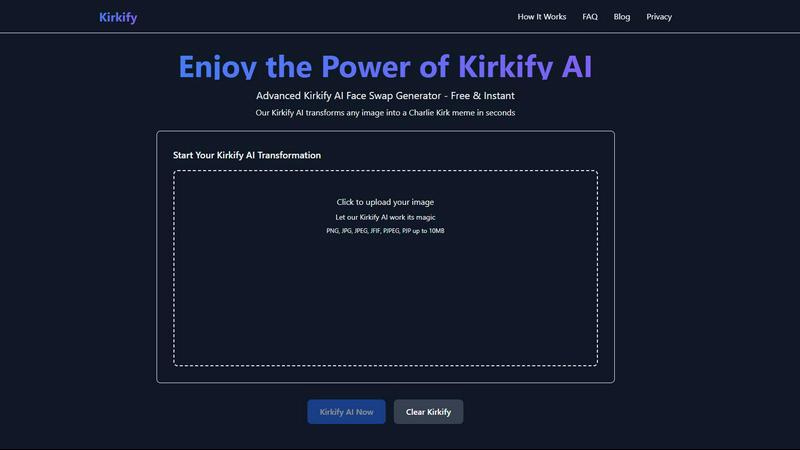
Kirkify AI
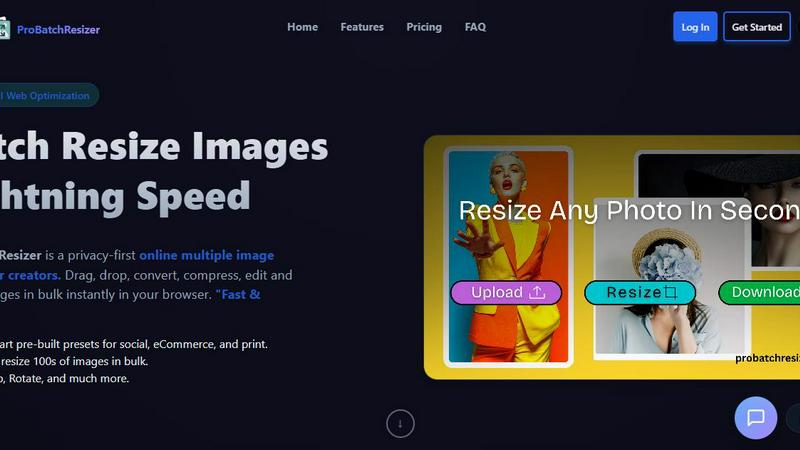
Pro Batch Resizer
Feature Comparison
Kirkify AI
Lightning Fast Processing
Kirkify AI is engineered for speed, allowing users to receive their transformed images in mere seconds. With most face swaps completing within 10-30 seconds, you can create multiple variations rapidly, enhancing your productivity and creativity without delays.
Privacy First
Kirkify AI prioritizes user privacy by ensuring that images are processed securely and deleted immediately after transformation. Unlike other platforms that may store user data, Kirkify guarantees that your images and personal information are never tracked or shared.
100% Free
Experience the joy of creating without financial barriers. Kirkify AI is completely free to use, with no hidden fees, premium tiers, or watermarks. This means you can generate unlimited kirkified images without worrying about costs or sign-up requirements.
Distinctive Style
Kirkify AI boasts a unique artistic transformation that results in instantly recognizable content. The kirkify style is perfect for social media, memes, and creative projects, ensuring your images stand out in any feed and resonate with your audience.
Pro Batch Resizer
Zero-Upload Privacy
Pro Batch Resizer takes your privacy seriously. Unlike many other online tools, your images are processed locally in your browser, meaning they never leave your device. This zero-upload privacy ensures that your valuable files remain secure and confidential while you work.
130+ One-Click Presets
With over 130 built-in presets tailored for various platforms—including social media, corporate use, and e-commerce—Pro Batch Resizer eliminates the need to remember specific dimensions. Just select your desired preset, and the tool handles the rest, saving you time and effort.
Blazing Speed
Experience lightning-fast image processing with Pro Batch Resizer's multi-threaded capabilities. Whether you are resizing a small batch or hundreds of images, the tool guarantees instant results without lag, allowing you to maintain a smooth workflow even with larger projects.
Total Control
Beyond simple resizing, Pro Batch Resizer offers a suite of editing tools that allow you to crop, flip, rotate, and convert images between formats like JPG, PNG, and WEBP. With professional resampling techniques, you can ensure crisp, high-quality results every time.
Use Cases
Kirkify AI
Social Media Content
Transform your ordinary photos into captivating content that's perfect for platforms like Instagram, TikTok, and Facebook. With Kirkified images, you can enhance your online presence and engage your followers like never before.
Meme Creation
Kirkify AI excels in meme creation by turning your photos into entertaining visuals that capture the essence of humor. Whether for personal enjoyment or viral potential, you can create shareable memes that resonate with friends and followers.
Gaming & Discord
Level up your gaming persona by creating unique avatars and profile pictures for platforms like Discord, Steam, and Twitch. Kirkified images will set you apart in the gaming community, showcasing your personality in a fun and memorable way.
Creative Projects
Incorporate Kirkify AI into your creative workflow for artistic exploration and experimentation. Whether you are an artist, designer, or content creator, this tool provides a unique way to express your creativity using advanced AI technology.
Pro Batch Resizer
Social Media Management
Social media managers can benefit immensely from Pro Batch Resizer by quickly preparing images for various platforms. With smart presets for Facebook, Instagram, Twitter, and more, creating perfectly sized content for posts and ads has never been easier.
E-commerce Optimization
Online sellers can use Pro Batch Resizer to efficiently format product images for their listings on platforms like Amazon, Etsy, and Shopify. The tool streamlines the process of resizing images to meet specific requirements, enhancing the visual appeal of product pages.
Print Material Preparation
Graphic designers and marketers can utilize Pro Batch Resizer to prepare high-quality images for print materials such as flyers, business cards, and posters. The precision offered by multi-unit measurements ensures that every image meets print standards.
Digital Content Creation
Bloggers, vloggers, and content creators can take advantage of Pro Batch Resizer to optimize images for their websites, video thumbnails, and other digital content. The extensive preset library simplifies the resizing process, allowing creators to focus on content rather than technical details.
Overview
About Kirkify AI
Kirkify AI is a revolutionary web application designed for anyone looking to add a humorous twist to their images. By utilizing advanced AI face swap technology, it transforms ordinary photos into hilarious Charlie Kirk-style memes, making it a favorite among social media enthusiasts, content creators, and meme lovers alike. Built on the robust Next.js 15 framework and hosted on Cloudflare Pages, Kirkify AI guarantees lightning-fast processing with no registration required. With its user-friendly interface, individuals can easily upload images and watch as the AI works its magic, creating entertaining content that is perfect for sharing. Kirkify AI is not just about fun; it's about providing a creative outlet for expression while maintaining user privacy and satisfaction. Whether you are a casual user or a seasoned creator, Kirkify AI offers a unique platform to unleash your creativity without any hidden fees or cumbersome sign-up processes.
About Pro Batch Resizer
Pro Batch Resizer is an innovative, privacy-first online tool designed specifically for creators who need to resize images quickly and securely. This powerful application allows users to drag and drop multiple images into the browser, where images are processed locally using WebAssembly technology—ensuring that your images never leave your device. With a focus on speed and efficiency, Pro Batch Resizer supports batch processing, letting you resize hundreds of images at once without compromising quality. The tool is perfect for marketers, graphic designers, photographers, and anyone who needs to prepare images for social media, e-commerce, or print. Its combination of user-friendly features and advanced functionality makes Pro Batch Resizer the go-to solution for professional image resizing.
Frequently Asked Questions
Kirkify AI FAQ
How do I use Kirkify AI?
Using Kirkify AI is simple. Just visit kirkify.uk, upload your source image and a target Charlie Kirk photo, and let the AI process the face swap. In seconds, you can download your meme or share it directly on social media.
Is Kirkify AI really free?
Absolutely! Kirkify AI is 100% free to use, with no hidden fees or premium plans. You can create unlimited images without any sign-up requirements, making it accessible for everyone.
What file formats does Kirkify AI support?
Kirkify AI supports various image formats including PNG, JPG, JPEG, JFIF, PJPEG, and PJP, with a maximum file size of up to 10MB. This ensures that you can use your preferred image format without hassle.
How does Kirkify AI protect my privacy?
Kirkify AI takes privacy seriously. All images are processed in real-time and deleted immediately after transformation. The platform does not track, store, or share your personal data, ensuring a secure user experience.
Pro Batch Resizer FAQ
How does Pro Batch Resizer ensure my images are secure?
Pro Batch Resizer processes all images locally in your browser using WebAssembly technology, meaning no files are uploaded to external servers. This guarantees total privacy and security for your images.
Can I resize images in bulk with Pro Batch Resizer?
Yes! Pro Batch Resizer allows you to drag and drop multiple images at once, enabling you to resize hundreds of files in bulk quickly and efficiently.
What formats can I convert my images into?
Pro Batch Resizer supports conversions between JPG, PNG, and WEBP formats. This flexibility allows you to choose the best format for your specific needs.
Are there any subscriptions or accounts required to use Pro Batch Resizer?
No, Pro Batch Resizer is designed for ease of use, requiring no accounts or subscriptions. Simply access the tool through your browser, and you can start resizing images right away.
Alternatives
Kirkify AI Alternatives
Kirkify AI is an innovative web application designed for meme enthusiasts looking to create Charlie Kirk-style memes effortlessly. By utilizing advanced AI face swap technology, it enables users to transform any image into a humorous meme in just seconds. As a free tool that requires no registration, it appeals to those seeking a quick and entertaining way to generate content. Users often seek alternatives to Kirkify AI for various reasons, such as exploring different features, pricing options, or specific platform compatibility. When choosing an alternative, it's essential to consider factors like ease of use, processing speed, privacy policies, and the range of customization options available. Look for solutions that maintain the balance between functionality and user-friendly experience to ensure your meme-making journey remains enjoyable and productive.
Pro Batch Resizer Alternatives
Pro Batch Resizer is a professional-grade, browser-based tool designed for efficient batch image processing. As a leader in the image and photo category, it excels in providing users with a fast and secure solution for resizing, cropping, and converting images without the need for uploads. However, users often seek alternatives due to various reasons, such as pricing constraints, specific feature requirements, or compatibility with different platforms. When searching for an alternative, it’s essential to consider factors like privacy, processing speed, ease of use, and available features. Users should prioritize tools that offer similar functionalities, such as local processing, preset options, and multi-format support to ensure they receive the best value and performance for their image editing needs.