
Nano Banana AI — AI Image Generator & Editor vs Pro Batch Resizer

Nano Banana AI — AI Image Generator & Editor
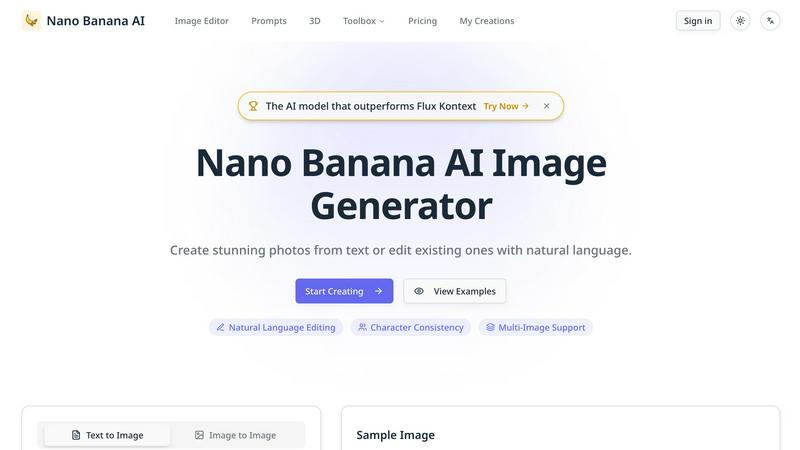
Transform text into stunning images or edit existing ones effortlessly with Nano Banana AI's advanced natural language.
Last updated: February 28, 2026

Pro Batch Resizer
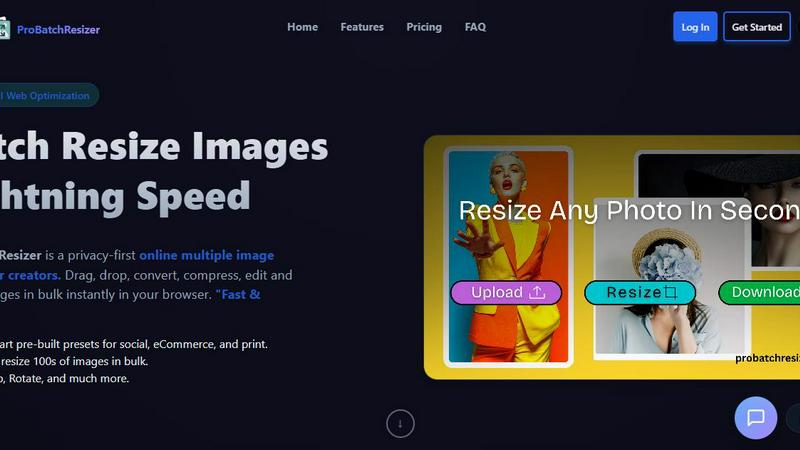
Pro Batch Resizer is a lightning-fast online tool to batch resize, edit, and optimize images securely in your browser.
Last updated: February 28, 2026
Visual Comparison
Nano Banana AI — AI Image Generator & Editor
Pro Batch Resizer
Feature Comparison
Nano Banana AI — AI Image Generator & Editor
AI Image Generation
Nano Banana AI allows users to create stunning images from text prompts with unmatched precision. The advanced AI model interprets user instructions to generate professional-grade visuals, making it ideal for anyone looking to manifest their creative ideas into captivating images instantly.
Intelligent Image Editing
This feature enables users to edit existing images effortlessly using natural language commands. Whether you want to remove backgrounds or change outfits, Nano Banana AI understands complex instructions, providing a seamless editing experience that saves time and enhances creativity.
Character Consistency
Maintaining character features across multiple generations is a hallmark of Nano Banana AI. This feature is particularly beneficial for creators who want to develop consistent AI influencers or brand mascots, ensuring that their characters retain recognizable traits in every iteration.
Multi-Image Blending
With the ability to blend multiple images seamlessly, Nano Banana AI excels in creating complex scenes that appear natural and cohesive. This feature is perfect for users looking to combine different elements into a single, striking visual without losing context or quality.
Pro Batch Resizer
Zero-Upload Privacy
Pro Batch Resizer takes your privacy seriously. Unlike many other online tools, your images are processed locally in your browser, meaning they never leave your device. This zero-upload privacy ensures that your valuable files remain secure and confidential while you work.
130+ One-Click Presets
With over 130 built-in presets tailored for various platforms—including social media, corporate use, and e-commerce—Pro Batch Resizer eliminates the need to remember specific dimensions. Just select your desired preset, and the tool handles the rest, saving you time and effort.
Blazing Speed
Experience lightning-fast image processing with Pro Batch Resizer's multi-threaded capabilities. Whether you are resizing a small batch or hundreds of images, the tool guarantees instant results without lag, allowing you to maintain a smooth workflow even with larger projects.
Total Control
Beyond simple resizing, Pro Batch Resizer offers a suite of editing tools that allow you to crop, flip, rotate, and convert images between formats like JPG, PNG, and WEBP. With professional resampling techniques, you can ensure crisp, high-quality results every time.
Use Cases
Nano Banana AI — AI Image Generator & Editor
Social Media Content Creation
Content creators can utilize Nano Banana AI to generate and edit images tailored for various social media platforms. This allows for the creation of engaging graphics, consistent thumbnails, and striking visuals that align with their brand identity and captivate audiences.
E-commerce Product Photography
E-commerce professionals can harness the power of Nano Banana AI to enhance product photos. The tool allows for background removal, color variations, and photo editing, enabling retailers to showcase their products in the best light possible and attract more customers.
Marketing Campaigns
Marketing teams can leverage Nano Banana AI to produce high-quality visuals for ad campaigns and promotional materials. Its ability to generate tailored images quickly allows marketers to iterate on concepts and create compelling graphics that drive engagement and conversions.
Personal Projects and Creative Endeavors
For hobbyists and artists, Nano Banana AI provides an innovative platform to explore creativity. Users can create unique art pieces, restore old photographs, or design character illustrations, making it a versatile tool for personal projects that require a professional touch.
Pro Batch Resizer
Social Media Management
Social media managers can benefit immensely from Pro Batch Resizer by quickly preparing images for various platforms. With smart presets for Facebook, Instagram, Twitter, and more, creating perfectly sized content for posts and ads has never been easier.
E-commerce Optimization
Online sellers can use Pro Batch Resizer to efficiently format product images for their listings on platforms like Amazon, Etsy, and Shopify. The tool streamlines the process of resizing images to meet specific requirements, enhancing the visual appeal of product pages.
Print Material Preparation
Graphic designers and marketers can utilize Pro Batch Resizer to prepare high-quality images for print materials such as flyers, business cards, and posters. The precision offered by multi-unit measurements ensures that every image meets print standards.
Digital Content Creation
Bloggers, vloggers, and content creators can take advantage of Pro Batch Resizer to optimize images for their websites, video thumbnails, and other digital content. The extensive preset library simplifies the resizing process, allowing creators to focus on content rather than technical details.
Overview
About Nano Banana AI — AI Image Generator & Editor
Nano Banana AI is a revolutionary AI image generator and editor that leverages cutting-edge technology to transform the way images are created and modified. Utilizing Google's Gemini 2.5 Flash Image model, Nano Banana AI stands out as a powerful tool capable of generating stunning visuals from simple text prompts or enhancing existing photographs with natural language commands. This tool is designed for a diverse audience, ranging from content creators and e-commerce professionals to marketing teams and casual users who seek to elevate their visual content. Its main value proposition lies in its ability to produce high-quality images efficiently, ensuring that users can communicate their ideas visually without the need for extensive design skills. With features like character consistency, multi-image support, and precise local edits, Nano Banana AI not only simplifies the image creation process but also enhances the overall quality and appeal of the visuals produced.
About Pro Batch Resizer
Pro Batch Resizer is an innovative, privacy-first online tool designed specifically for creators who need to resize images quickly and securely. This powerful application allows users to drag and drop multiple images into the browser, where images are processed locally using WebAssembly technology—ensuring that your images never leave your device. With a focus on speed and efficiency, Pro Batch Resizer supports batch processing, letting you resize hundreds of images at once without compromising quality. The tool is perfect for marketers, graphic designers, photographers, and anyone who needs to prepare images for social media, e-commerce, or print. Its combination of user-friendly features and advanced functionality makes Pro Batch Resizer the go-to solution for professional image resizing.
Frequently Asked Questions
Nano Banana AI — AI Image Generator & Editor FAQ
What types of images can I create with Nano Banana AI?
You can create a wide variety of images, including photorealistic scenes, illustrations, and product images, all generated from text prompts. The tool excels at interpreting your ideas and turning them into stunning visuals.
How does Nano Banana AI maintain character consistency?
Nano Banana AI employs advanced algorithms that track and replicate character features across multiple image generations. This ensures that your characters maintain their identity, making it ideal for branding and storytelling.
Can I edit existing images with Nano Banana AI?
Yes, Nano Banana AI provides robust editing capabilities, allowing you to modify existing images using natural language commands. This includes actions like changing backgrounds, altering outfits, and making precise adjustments without affecting the entire image.
Is Nano Banana AI suitable for commercial use?
Absolutely. Nano Banana AI produces high-resolution outputs that meet professional quality standards, making it suitable for commercial applications in marketing, design, and content creation. Users can confidently use the generated images in their business endeavors.
Pro Batch Resizer FAQ
How does Pro Batch Resizer ensure my images are secure?
Pro Batch Resizer processes all images locally in your browser using WebAssembly technology, meaning no files are uploaded to external servers. This guarantees total privacy and security for your images.
Can I resize images in bulk with Pro Batch Resizer?
Yes! Pro Batch Resizer allows you to drag and drop multiple images at once, enabling you to resize hundreds of files in bulk quickly and efficiently.
What formats can I convert my images into?
Pro Batch Resizer supports conversions between JPG, PNG, and WEBP formats. This flexibility allows you to choose the best format for your specific needs.
Are there any subscriptions or accounts required to use Pro Batch Resizer?
No, Pro Batch Resizer is designed for ease of use, requiring no accounts or subscriptions. Simply access the tool through your browser, and you can start resizing images right away.
Alternatives
Nano Banana AI — AI Image Generator & Editor Alternatives
Nano Banana AI — AI Image Generator & Editor is a state-of-the-art tool in the image and photo category, enabling users to create and edit stunning visuals through natural language inputs. This innovative platform leverages advanced AI technology, specifically Google's Gemini 2.5 Flash Image model, to push the boundaries of creativity and efficiency in image generation and editing. However, users often seek alternatives due to various reasons, including pricing constraints, feature limitations, and specific platform needs. When evaluating alternatives, it's essential to consider factors such as ease of use, the breadth of features offered, compatibility with existing tools, and overall performance to ensure that the chosen solution meets individual or organizational requirements effectively.
Pro Batch Resizer Alternatives
Pro Batch Resizer is a professional-grade, browser-based tool designed for efficient batch image processing. As a leader in the image and photo category, it excels in providing users with a fast and secure solution for resizing, cropping, and converting images without the need for uploads. However, users often seek alternatives due to various reasons, such as pricing constraints, specific feature requirements, or compatibility with different platforms. When searching for an alternative, it’s essential to consider factors like privacy, processing speed, ease of use, and available features. Users should prioritize tools that offer similar functionalities, such as local processing, preset options, and multi-format support to ensure they receive the best value and performance for their image editing needs.