
Pro Batch Resizer vs Shrinkpad

Pro Batch Resizer
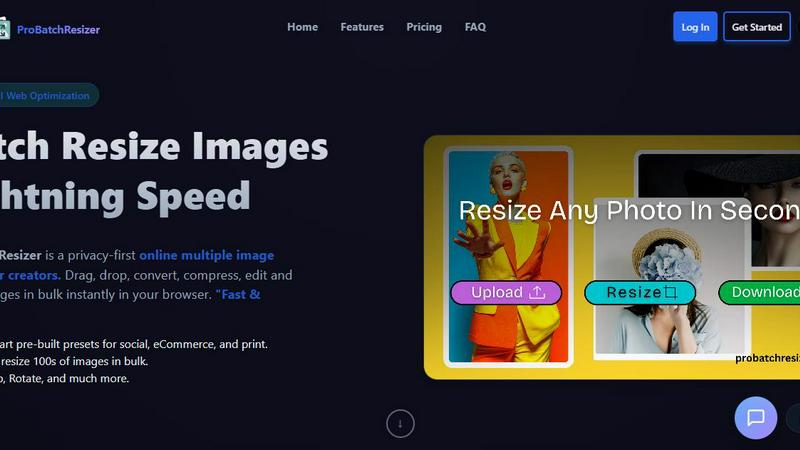
Pro Batch Resizer is a lightning-fast online tool to batch resize, edit, and optimize images securely in your browser.
Last updated: February 28, 2026

Shrinkpad
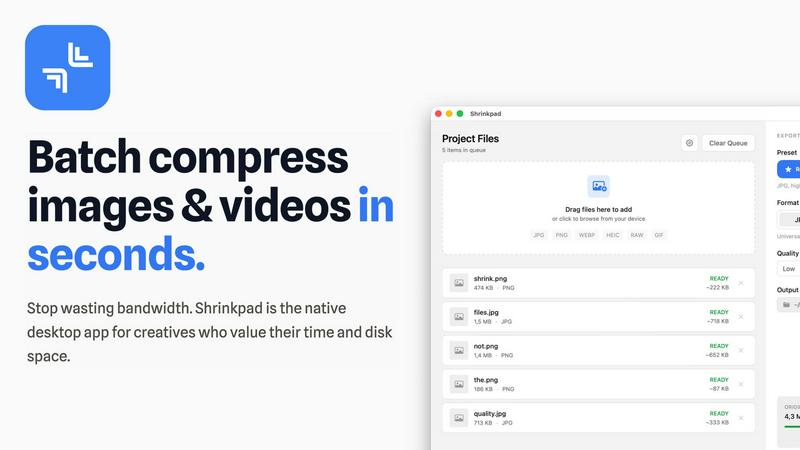
Shrinkpad is the native Mac app that batch compresses images and videos without quality loss.
Last updated: February 28, 2026
Visual Comparison
Pro Batch Resizer
Shrinkpad
Feature Comparison
Pro Batch Resizer
Zero-Upload Privacy
Pro Batch Resizer takes your privacy seriously. Unlike many other online tools, your images are processed locally in your browser, meaning they never leave your device. This zero-upload privacy ensures that your valuable files remain secure and confidential while you work.
130+ One-Click Presets
With over 130 built-in presets tailored for various platforms—including social media, corporate use, and e-commerce—Pro Batch Resizer eliminates the need to remember specific dimensions. Just select your desired preset, and the tool handles the rest, saving you time and effort.
Blazing Speed
Experience lightning-fast image processing with Pro Batch Resizer's multi-threaded capabilities. Whether you are resizing a small batch or hundreds of images, the tool guarantees instant results without lag, allowing you to maintain a smooth workflow even with larger projects.
Total Control
Beyond simple resizing, Pro Batch Resizer offers a suite of editing tools that allow you to crop, flip, rotate, and convert images between formats like JPG, PNG, and WEBP. With professional resampling techniques, you can ensure crisp, high-quality results every time.
Shrinkpad
Lightning-Feat Batch Processing
Stop the tedious one-by-one export grind. Shrinkpad is built for massive, real-world workloads. Simply drag and drop an entire folder—it automatically detects all supported images and videos inside, ignoring non-media files. Process thousands of assets in a single, seamless batch queue that runs in minutes, not hours. This is bulk optimization, engineered to handle what web-based tools crash trying to process, saving you countless hours of manual busywork.
Privacy-First Local Processing
In a world of data breaches and slow uploads, Shrinkpad stands firm. Every single compression operation happens locally on your Mac using native Apple frameworks. There are no cloud uploads, no external servers, and no waiting for bandwidth. Your original files, client projects, and sensitive assets never leave your device. This guarantees complete privacy, eliminates dependency on an internet connection, and delivers processing speeds that cloud services can't match.
Intelligent Quality Optimization
Shrinkpad moves beyond basic sliders with smart, automatic analysis. It examines the visual complexity of each image and video to apply the perfect compression ratio, aggressively reducing file size while guarding against artifacts. You can choose from presets or fine-tune settings manually, but the intelligent engine ensures you stop guessing and get optimal results every time, maintaining the quality you need for professional work.
Extensive Format Support & Pro Tools
Forget pre-conversion hassles. Shrinkpad supports over 50 formats out of the box, including JPG, PNG, HEIC, WebP, AVIF, MP4, MOV, and even RAW files. Process mixed media batches (photos and videos together) effortlessly. The app is packed with pro features: customize output formats, create custom file naming patterns, strip metadata with one click, and enjoy deep macOS integration optimized for Apple Silicon for blistering performance.
Use Cases
Pro Batch Resizer
Social Media Management
Social media managers can benefit immensely from Pro Batch Resizer by quickly preparing images for various platforms. With smart presets for Facebook, Instagram, Twitter, and more, creating perfectly sized content for posts and ads has never been easier.
E-commerce Optimization
Online sellers can use Pro Batch Resizer to efficiently format product images for their listings on platforms like Amazon, Etsy, and Shopify. The tool streamlines the process of resizing images to meet specific requirements, enhancing the visual appeal of product pages.
Print Material Preparation
Graphic designers and marketers can utilize Pro Batch Resizer to prepare high-quality images for print materials such as flyers, business cards, and posters. The precision offered by multi-unit measurements ensures that every image meets print standards.
Digital Content Creation
Bloggers, vloggers, and content creators can take advantage of Pro Batch Resizer to optimize images for their websites, video thumbnails, and other digital content. The extensive preset library simplifies the resizing process, allowing creators to focus on content rather than technical details.
Shrinkpad
Optimizing Web & App Assets for Developers
Front-end developers and app creators can drastically reduce bundle sizes and improve load times. Export assets from design tools at 2x/4x resolution, then let Shrinkpad batch-optimize and rename them for production. This leads to significantly faster Largest Contentful Paint (LCP) scores and a smoother user experience, directly impacting core web vitals and app store performance metrics.
Managing Photo & Video Libraries for Creators
Photographers and videographers drowning in massive RAW files and 4K footage can reclaim terabytes of storage. Shrinkpad allows for the bulk compression of entire shoots or video reels, reducing file sizes by up to 90% for archiving or client delivery while keeping visual quality intact for portfolios and social media, all without uploading sensitive work to the cloud.
Streamlining Design-to-Export Workflows
Designers tired of manually exporting hundreds of icons, screens, and graphics from Figma or Photoshop can automate their pipeline. Export everything at once and use Shrinkpad as the final optimization and renaming station. It processes the entire batch, applies consistent compression, and delivers ready-to-use assets, eliminating a major bottleneck in the design process.
Preparing Client Deliverables & Pitches
Agencies and freelancers can quickly prepare professional deliverables. Compress high-resolution project files, case study images, and presentation videos into manageable sizes for email transfer, shared drives, or pitch decks. The one-folder-drop functionality and consistent output quality ensure a polished, efficient delivery that impresses clients without the hassle.
Overview
About Pro Batch Resizer
Pro Batch Resizer is an innovative, privacy-first online tool designed specifically for creators who need to resize images quickly and securely. This powerful application allows users to drag and drop multiple images into the browser, where images are processed locally using WebAssembly technology—ensuring that your images never leave your device. With a focus on speed and efficiency, Pro Batch Resizer supports batch processing, letting you resize hundreds of images at once without compromising quality. The tool is perfect for marketers, graphic designers, photographers, and anyone who needs to prepare images for social media, e-commerce, or print. Its combination of user-friendly features and advanced functionality makes Pro Batch Resizer the go-to solution for professional image resizing.
About Shrinkpad
Shrinkpad is the battle-tested, native Mac application that declares war on bloated media files and inefficient cloud-based compressors. It delivers professional-grade batch compression for both images and videos directly on your macOS device. This tool is engineered for photographers, designers, content creators, and developers who refuse to compromise on speed, privacy, or quality. While web tools leak your data to servers and desktop laggards process files one-by-one, Shrinkpad empowers you to drop entire folders containing hundreds of files and compress them in seconds. Its core value proposition is uncompromising: achieve up to 90% file size reduction while preserving visual fidelity, with 100% local processing that guarantees your sensitive assets never leave your Mac. It's the definitive solution for reclaiming disk space, speeding up websites and apps, and streamlining creative workflows without the wait, subscription fees, or privacy concerns of cloud-dependent alternatives.
Frequently Asked Questions
Pro Batch Resizer FAQ
How does Pro Batch Resizer ensure my images are secure?
Pro Batch Resizer processes all images locally in your browser using WebAssembly technology, meaning no files are uploaded to external servers. This guarantees total privacy and security for your images.
Can I resize images in bulk with Pro Batch Resizer?
Yes! Pro Batch Resizer allows you to drag and drop multiple images at once, enabling you to resize hundreds of files in bulk quickly and efficiently.
What formats can I convert my images into?
Pro Batch Resizer supports conversions between JPG, PNG, and WEBP formats. This flexibility allows you to choose the best format for your specific needs.
Are there any subscriptions or accounts required to use Pro Batch Resizer?
No, Pro Batch Resizer is designed for ease of use, requiring no accounts or subscriptions. Simply access the tool through your browser, and you can start resizing images right away.
Shrinkpad FAQ
Can I use Shrinkpad for free?
Yes, Shrinkpad offers a Free Starter tier perfect for trying out the core functionality. It includes standard compression for common formats like JPG and PNG with a limit of 10 files per batch. For unlimited processing, all file formats (including RAW and video), and no file size limits, you can upgrade to the one-time purchase Personal or Team licenses.
Does Shrinkpad support video compression?
Absolutely. Unlike many image-only compressors, Shrinkpad is built for mixed media. It provides powerful batch compression for videos in formats like MP4 and MOV, allowing you to process photos and videos together in the same workflow. This makes it an all-in-one solution for comprehensive media library optimization.
Are my files uploaded to the cloud?
Never. Shrinkpad operates on a strict privacy-first principle. All processing is performed 100% locally on your Mac. Your files are never sent to or stored on any external server. This ensures maximum security for sensitive work and provides faster compression speeds since there's no upload/download latency.
How many files can I process at once?
With the paid Personal or Team plans, Shrinkpad supports unlimited batch processing. You can queue up thousands of images and videos in a single folder drop. The app is engineered to handle these massive queues with stability, unlike web-based tools that often fail or crash under heavy loads.
Alternatives
Pro Batch Resizer Alternatives
Pro Batch Resizer is a professional-grade, browser-based tool designed for efficient batch image processing. As a leader in the image and photo category, it excels in providing users with a fast and secure solution for resizing, cropping, and converting images without the need for uploads. However, users often seek alternatives due to various reasons, such as pricing constraints, specific feature requirements, or compatibility with different platforms. When searching for an alternative, it’s essential to consider factors like privacy, processing speed, ease of use, and available features. Users should prioritize tools that offer similar functionalities, such as local processing, preset options, and multi-format support to ensure they receive the best value and performance for their image editing needs.
Shrinkpad Alternatives
Shrinkpad is a powerful Mac application designed for batch compression of images and videos. It belongs to the category of media optimization tools, focusing on reducing file sizes locally on your device without compromising visual quality. Users often explore alternatives for various reasons, including different budget constraints, the need for cross-platform availability, or specific feature sets not covered by a single solution. When evaluating other options, it's crucial to consider several key factors. The core decision often revolves around local processing versus cloud-based services, which impacts privacy, speed, and internet dependency. You should also assess the range of supported file formats, the degree of customization offered for compression settings, and the overall efficiency in handling large batches of files. The ideal tool seamlessly integrates into your workflow while delivering the right balance of quality reduction and storage savings.