QUVIAI

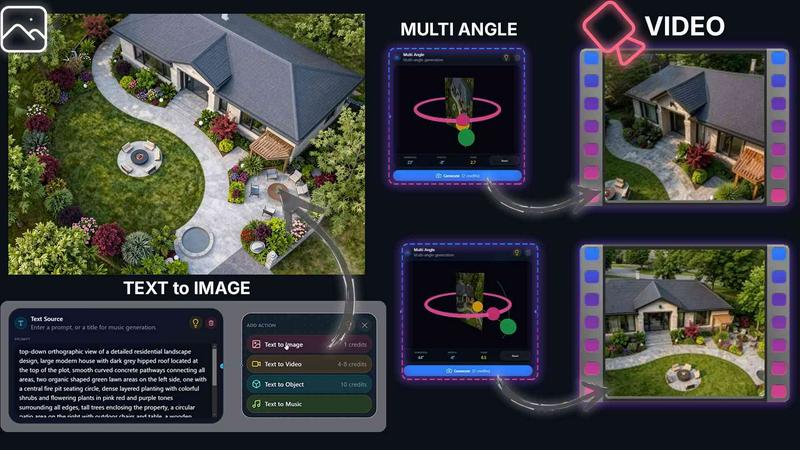
QUVIAI crushes the competition by turning text and images into architectural renders, videos, and 3D scenes in one battle-ready platform.

0 upvotes
Visit
QUVIAI application interface and features

About QUVIAI

QUVIAI is an all-in-one AI-powered creative platform engineered specifically for architects, designers, and creators who demand speed, precision, and versatility. It eliminates the chaos of juggling multiple software tools by consolidating every stage of the creative pipeline into a single, unified workspace. Whether you start with a rough sketch, a reference image, or a detailed 3D model, QUVIAI transforms your input into photorealistic renders, cinematic videos, multi-angle views, floor plan renders, 3D objects, and even original music. The platform is built around a proprietary 3D workspace that allows you to model, render, and iterate without ever leaving the environment. You can edit entire scenes using simple text prompts, generate furniture and decorative objects on the fly, stage them with precision, and produce cinematic walkthroughs from start and end frames. QUVIAI is available on web, iOS, and Android, making it accessible whether you are in the studio, on site, or working remotely. The value proposition is clear: stop wasting time on fragmented workflows and start creating production-ready architectural visuals in minutes. QUVIAI is not just another AI tool; it is a battle-tested creative engine designed to outperform traditional rendering pipelines and give you the competitive edge.

Features of QUVIAI

AI Image Generation

Turn any text prompt or reference into stunning photorealistic architectural renders in seconds. This feature eliminates the need for complex lighting setups and material adjustments. You simply describe what you want, or upload a starting image, and QUVIAI generates high-fidelity visuals that are ready for client presentations or design reviews. It supports a wide range of architectural styles, from minimalistic interiors to futuristic exteriors, and handles complex details like reflections, shadows, and textures with remarkable accuracy.

AI Video Creation

Animate stills, generate walk-throughs, or create cinematic sequences from a single prompt. This feature is a game-changer for architectural storytelling. Instead of spending days on animation software, you can produce smooth, cinematic video tours of your designs. You can define start and end frames, and QUVIAI intelligently interpolates the camera path, adding motion, lighting transitions, and spatial context. The result is a professional-grade video that communicates the flow and feel of a space without the usual production overhead.

Multi Angle Views

Generate multiple architectural viewpoints from one source image for richer, presentation-ready perspective sets. This feature saves hours of manual camera setup. Upload a single render or sketch, and QUVIAI automatically produces a series of alternative angles, including birds-eye views, eye-level perspectives, and dynamic close-ups. Each angle maintains consistent lighting and material properties, ensuring a cohesive visual narrative. This is ideal for creating comprehensive project portfolios or client pitch decks.

Object Staging

Stage generated 3D objects into scene backgrounds and produce polished compositions with consistent lighting. This feature allows you to generate furniture, decorative items, or architectural elements on demand and place them exactly where you want in your scene. The AI ensures that each object integrates seamlessly with the existing lighting and perspective, eliminating the need for manual shadow matching or color correction. It transforms empty architectural shells into lived-in, realistic environments in seconds.

Use Cases of QUVIAI

Rapid Concept Visualization for Client Pitches

Architects and designers can use QUVIAI to transform a rough sketch or mood board into a photorealistic render during a live client meeting. Instead of saying "imagine this," you show them. The AI Image Generation and Multi Angle features allow you to iterate on the fly, adjusting materials, lighting, and composition based on client feedback. This dramatically shortens the approval cycle and builds client confidence in your vision.

Cinematic Walkthroughs for Real Estate Marketing

Real estate developers and marketing teams can use QUVIAI to create cinematic video tours of properties that are still under construction. By uploading floor plans or basic 3D models, you can generate walkthroughs that showcase the flow of spaces, natural light, and key architectural features. The AI Video Creation feature handles camera movement and scene transitions, producing a polished marketing asset that drives buyer interest and pre-sales.

Interior Design and Furniture Staging

Interior designers can leverage the Object Staging feature to experiment with different furniture layouts and decorative styles without purchasing physical samples. Generate a sofa, a table, or a lighting fixture, then stage it into the scene. The AI ensures the object matches the room's lighting and scale. This allows designers to present multiple furnishing options to clients quickly and confidently, reducing the back-and-forth of traditional sourcing.

Educational and Academic Architectural Projects

Architecture students and educators can use QUVIAI to produce high-quality visualizations for academic projects without needing expensive rendering software or powerful hardware. The platform's Edit and Render suites allow for detailed refinement, while the Multi Angle feature helps explore different design perspectives. This makes QUVIAI an accessible and powerful tool for learning and presenting architectural concepts in a competitive academic environment.

Frequently Asked Questions

What types of input files does QUVIAI accept?

QUVIAI accepts sketches, images, and 3D models as input. You can upload a hand-drawn sketch, a reference photo, or a 3D model file, and the platform will process it to generate renders, videos, or other outputs. The AI is trained to interpret a wide range of input quality levels, from rough concept art to detailed architectural drawings.

Can I edit my renders after they are generated?

Yes, QUVIAI includes a dedicated Edit suite that allows you to refine visuals after generation. You can use masking, inpainting, cleanup, and detail adjustments to tweak specific areas of your render. This is built specifically for architectural workflows, so you can fix lighting, remove unwanted objects, or enhance materials without starting over.

Is QUVIAI available on mobile devices?

Yes, QUVIAI is available on web, iOS, and Android. This allows you to start a project on your desktop, continue refining it on your tablet during a site visit, and present the final output from your phone. The mobile apps are fully featured and sync seamlessly with your account across devices.

How does the AI Video Creation feature work?

The AI Video Creation feature allows you to animate still images or generate walkthroughs from a prompt. You can define start and end frames for a camera path, and the AI will generate a smooth cinematic sequence between them. It handles lighting transitions, object movement, and spatial context, producing a video that feels like a professional architectural animation without manual keyframing.

Pricing of QUVIAI

QUVIAI offers a free tier that includes credits to generate your first render. For detailed pricing on paid plans, including monthly and annual subscriptions, please visit the Pricing page on the QUVIAI website or contact their support team directly. The platform provides scalable options for individual creators, small studios, and large architectural firms.

Top Alternatives to QUVIAI

Lafoto

Create breathtaking photorealistic images from text in seconds with LaFoto, the ultimate AI image generator for stunning visuals.

Floor Plan AI

Floor Plan AI turns plain language into professional 2D and 3D layouts instantly, beating CAD's slow learning curve with real-time AI edits.

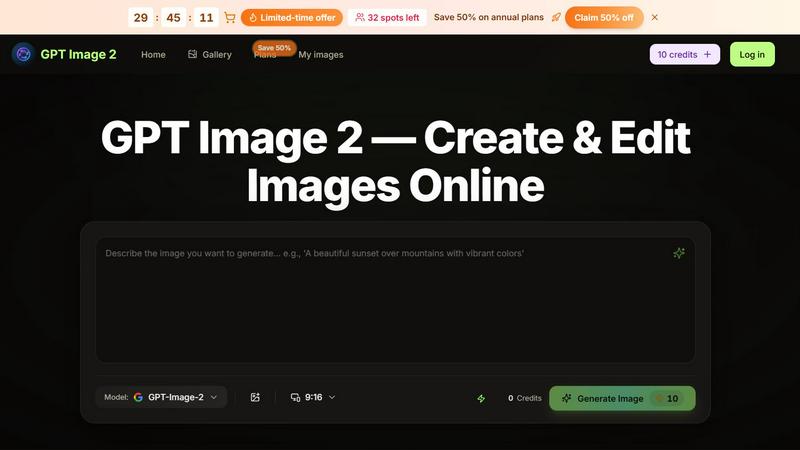
GPT Image 2 Studio

Generate, edit, and refine stunning images effortlessly with GPT Image 2 Studio's intuitive text-to-image and reference editing tools.

Pixparkle

Pixparkle is a chat-based AI image and video generator that creates stunning visuals effortlessly with no design skills required.

Claude Image

Transform your ideas into stunning visuals effortlessly with Claude Image, the ultimate AI-powered text-to-image generator and editor.

Bing Image Creator

Bing Image Creator crushes Midjourney and DALL-E 3 with free, professional 4K visuals from text or blended images.

AI Anime Generator

Transform your ideas into stunning anime art instantly with AI Anime Generator, no skills needed—just creativity unleashed.
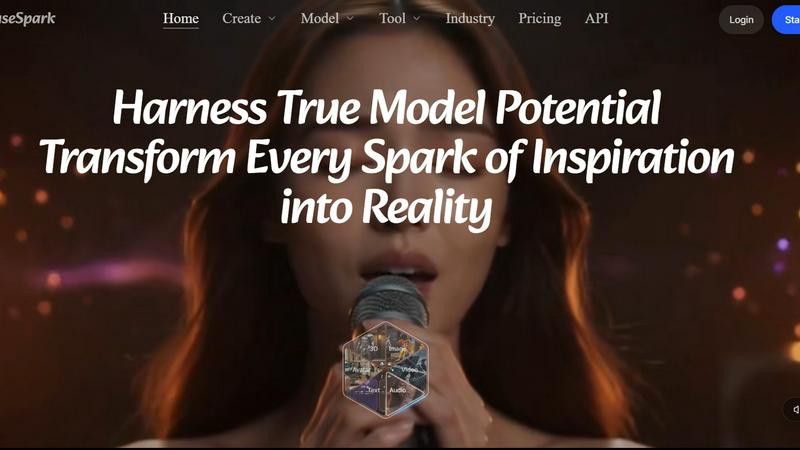
MuseSpark AI

MuseSpark AI is the battle-tested all-in-one design toolkit that crushes every other platform by transforming any spark of inspiration into stunning.